Trello Review 2026: Visual Simplicity Meets Feature Constraints
Excellent for straightforward task tracking and small-to-medium teams; struggles with complex dependencies and advanced reporting.

Excellent for straightforward task tracking and small-to-medium teams; struggles with complex dependencies and advanced reporting.

Trello's greatest asset remains its user interface. Users consistently praise the clean, drag-and-drop kanban experience that requires almost no training to adopt. At $5/user/month (billed annually), the Standard plan is among the cheapest paid project management options available—roughly half the price of Asana's $10.99/user/month entry tier. The free tier is now legitimately usable in 2026, offering unlimited cards, unlimited Power-Ups, and 250 automation runs per month, making it viable for solo users and very small teams.
The platform's versatility is another strength. Teams use Trello successfully for marketing campaign pipelines, IT service request workflows, HR hiring funnels, and software bug tracking. This breadth stems from the flexibility of the kanban model itself—lists can represent any workflow stage, and custom fields allow task-specific attributes without rigid structure.
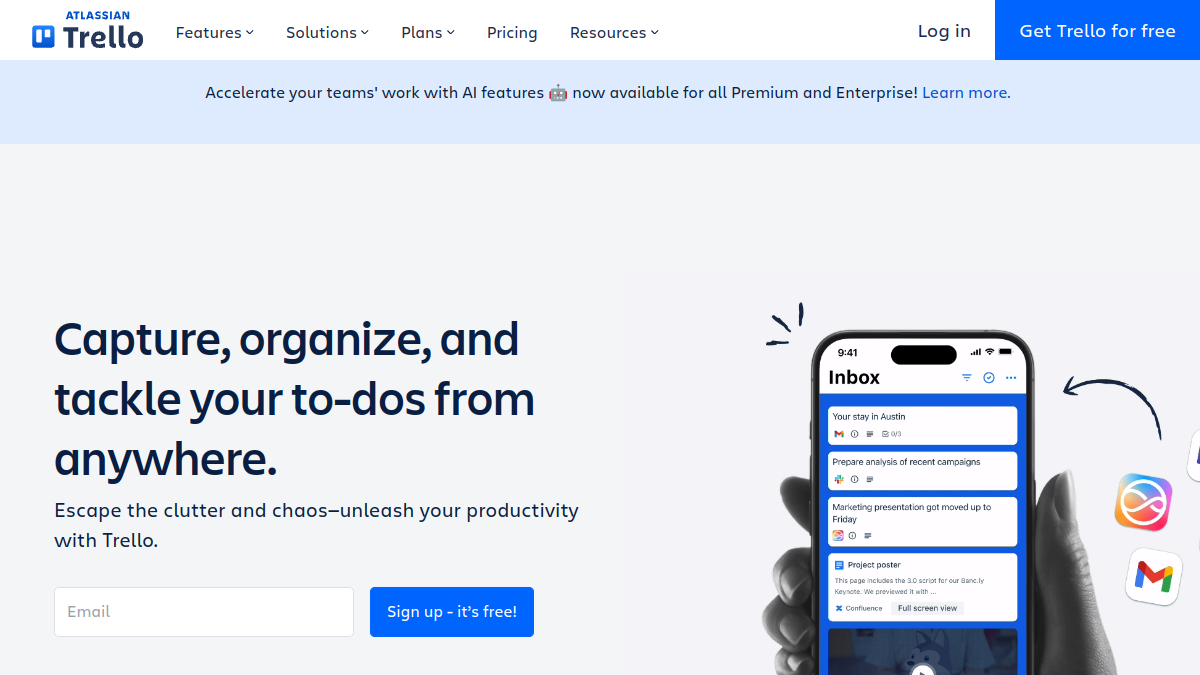
In 2026, Atlassian has added AI capabilities. Standard now includes AI quick capture (converting notes into structured cards), whilst Premium adds Atlassian Intelligence for AI-powered content generation and summarisation. For teams already committed to the Atlassian ecosystem, Trello integrates deeply with Jira, Confluence, and other Atlassian products.

Trello's greatest asset remains its user interface. Users consistently praise the clean, drag-and-drop kanban experience that requires almost no training to adopt. At $5/user/month (billed annually), the Standard plan is among the cheapest paid project management options available—roughly half the price of Asana's $10.99/user/month entry tier. The free tier is now legitimately usable in 2026, offering unlimited cards, unlimited Power-Ups, and 250 automation runs per month, making it viable for solo users and very small teams.
The platform's versatility is another strength. Teams use Trello successfully for marketing campaign pipelines, IT service request workflows, HR hiring funnels, and software bug tracking. This breadth stems from the flexibility of the kanban model itself—lists can represent any workflow stage, and custom fields allow task-specific attributes without rigid structure.
In 2026, Atlassian has added AI capabilities. Standard now includes AI quick capture (converting notes into structured cards), whilst Premium adds Atlassian Intelligence for AI-powered content generation and summarisation. For teams already committed to the Atlassian ecosystem, Trello integrates deeply with Jira, Confluence, and other Atlassian products.

Trello's simplicity becomes a liability for complex projects. It lacks native task dependencies, automatic date cascading, and resource capacity management. Users managing large-scale or highly interdependent work often need workarounds. The Timeline View (available in Premium at $10/user/month) provides basic scheduling but is not a true Gantt chart—it cannot model predecessor-successor relationships or critical path analysis.
Reporting remains weak. Dashboard views exist in Premium, but detailed analytics, burndown charts, and resource utilisation reports require paid Power-Ups. Adding 3–4 third-party Power-Ups for features competitors include natively (Gantt charts, time tracking, advanced reporting) can cost an additional $20–40/user/month, eroding Trello's cost advantage.
Scale also introduces visual clutter. As boards accumulate cards and projects multiply across workspaces, navigating and maintaining context becomes harder. Users managing multiple concurrent initiatives often report that Trello's simplicity transforms into disorganisation at size.
Trello's headline pricing is straightforward: Free, $5/user/month (Standard, annual), $10/user/month (Premium, annual), and $17.50/user/month (Enterprise, annual). A 20-person team on Standard costs $1,200/year; on Premium, $2,400/year. Enterprise requires a 50-seat minimum, making the entry cost at least $10,500/year.
Annual billing saves 16–20% versus monthly. However, the true cost emerges when teams need advanced features. Power-Ups for time tracking, native Gantt charts, and reporting integrations are often third-party paid tools. Power-Up reality check: adding 3–4 premium Power-Ups can exceed the cost of upgrading to a competitor like ClickUp or monday.com, which bundle these features natively. For straightforward task tracking, Trello's pricing is exceptional; for enterprise complexity, it becomes deceptive.
Trello consistently rates above 4.4 out of 5 on G2 and Capterra as of 2026. User feedback emphasises three themes: (1) the interface is delightfully intuitive, (2) adoption is fast and requires minimal training, and (3) the free and Standard tiers are exceptional value. Remote teams and agile-leaning organisations particularly appreciate the visual collaboration model.
Complaints cluster around feature gaps and scale. Users managing complex projects note that Trello forces them into workarounds or supplementary tools. Some report that interface clutter accumulates as boards grow, and others criticise that detailed reporting and resource management require paid Power-Ups. A few users on Windows report minor UI smoothness issues, though this is not widespread.
Cost-conscious teams and those prioritising visual simplicity over hierarchical workflow management rate Trello highly. Teams managing sophisticated interdependencies or requiring detailed executive reporting typically migrate to Asana, monday.com, or Jira after outgrowing Trello.
Trello's automation engine, Butler, enables rule-based workflows (e.g., auto-assign cards, trigger actions based on conditions). Standard tier users get 1,000 runs/month; Premium and Enterprise receive unlimited. The addition of AI in 2026—quick capture on Standard and content generation on Premium—signals Atlassian's push toward productivity tooling beyond kanban.
These features are useful but not transformative. Quick capture accelerates card creation; AI summarisation helps synthesise discussion threads. Neither compensates for missing dependency management or native reporting. For teams already using Premium, the AI additions provide incremental value; for Standard users, AI quick capture is a practical gain.
Trello remains the best choice for small-to-medium teams prioritising simplicity, rapid adoption, and cost efficiency. The free and Standard tiers are unmatched for lightweight task management and visual team coordination. For marketing, creative, and lean operations teams, Trello's straightforward pricing and interface justify selection.
For larger organisations, complex project dependencies, detailed reporting requirements, or resource planning at scale, Trello's limitations outweigh its simplicity. Costs escalate quickly once Power-Ups are factored in, and the platform's architectural constraints (no native Gantt, limited dependencies) become frustrating. In those contexts, Asana, monday.com, or ClickUp, whilst more complex, offer more complete feature sets and often lower true total cost of ownership.
What this review is built on. Our research is AI-assisted and draws on vendor documentation and published user feedback rather than our own lab testing — see the methodology page for the limits of that.
After every long-form review, we publish the two-sided summary. What proved durable, and what failed during testing.
Straight answers to what buyers actually ask, drawn from the documentation and published user reports.