
The finding
Upgrading a peripheral only changes outcomes when the new device removes a clear, measurable bottleneck. Vendor documentation shows the few specifications that matter: sensor resolution and polling for mice, sample rate and bit depth for microphones, frame‑rate and codec support for webcams, interface bandwidth for external storage and docks, and switch/contact behaviour for keyboards. If your current setup is not limited by those specs, a newer model will usually change comfort or convenience, not results.
Why this matters
Manufacturers publish the technical limits that determine whether an upgrade can improve task‑level results. For example, Samsung’s Portable SSD T7 spec sheet lists sequential read/write limits of up to 1,050/1,000 MB/s over USB 3.2 Gen 2; the host connection and cable must support that interface to see those speeds. If your laptop only exposes USB 2.0 or a slower SATA‑based bus, the T7 cannot deliver its peak performance. That is a clear, testable mismatch between device capability and host capability. (Samsung’s documentation includes the 1,050/1,000 MB/s figures and notes that host support for USB 3.2 Gen 2 and UASP are required.)
Quick checklist — signals an upgrade will change results
- Measured bottleneck on the host or pipeline: e.g. storage benchmark shows your drive saturates your laptop’s USB port; webcam frame drops because the application is limited to 720p; microphone recording clipped at the application sample rate. If a component in the chain reports being at or near its maximum, replacing the constrained component can improve results. (See Samsung T7 and CalDigit TS3 Plus specs for interface limits.)
- Device spec materially exceeds current limit: the new peripheral’s published spec must exceed the constraint. For example, Logitech’s BRIO 4K lists 4K/30fps and 1080p/60fps modes; moving from a 720p webcam to a BRIO can increase capture resolution and frame rate if the host app and bandwidth allow it. Vendor spec sheets are the authoritative source for these numbers.
- Workload matches the improvement: faster storage helps large file transfers, video editing, and load times; higher webcam resolution helps framing for streaming or recorded video; lower mouse latency helps gaming and fast pointer tasks. If your tasks don’t use the higher spec (for instance, you only stream at 720p), you won’t see the benefit.
- No software or driver bottleneck: many modern peripherals depend on drivers or companion apps (firmware, sample‑rate selectable options, or onboard DSP). If software restricts an outcome, a hardware swap alone may not help until software settings are changed.
Quick checklist — signals an upgrade will not change results
- Latency or accuracy issues caused by the OS, a slow USB controller, or network congestion rather than the peripheral’s raw capability.
- Ergonomic or subjective complaints: new switches, key feel, or scroll wheel comfort are genuine differences but they don’t change objective throughput (file transfer times, measured audio SNR) unless a measurable spec changes.
- Your host cannot supply the required interface speed or driver support (for example, a docking station or laptop that lacks Thunderbolt 3/4 will limit downstream devices even if the dock supports higher bandwidth internally).
- Application limits that cap resolution, frame‑rate or sample rate regardless of hardware capability.
How to check before you buy: a short test list
- Identify the objective metric you want to change. Examples: transfer time for a 50 GB project, webcam framing clarity at a given resolution, microphone noise floor in a recorded vocal take, mouse pointer jitter in high‑DPI editing work.
- Measure the current baseline. Use a benchmark or the app’s native reporting. For storage, run a sequential read/write test. For webcams, record at the target resolution and note frame drops. For microphones, check the sample rate/bit depth and look for clipping or limited dynamic range.
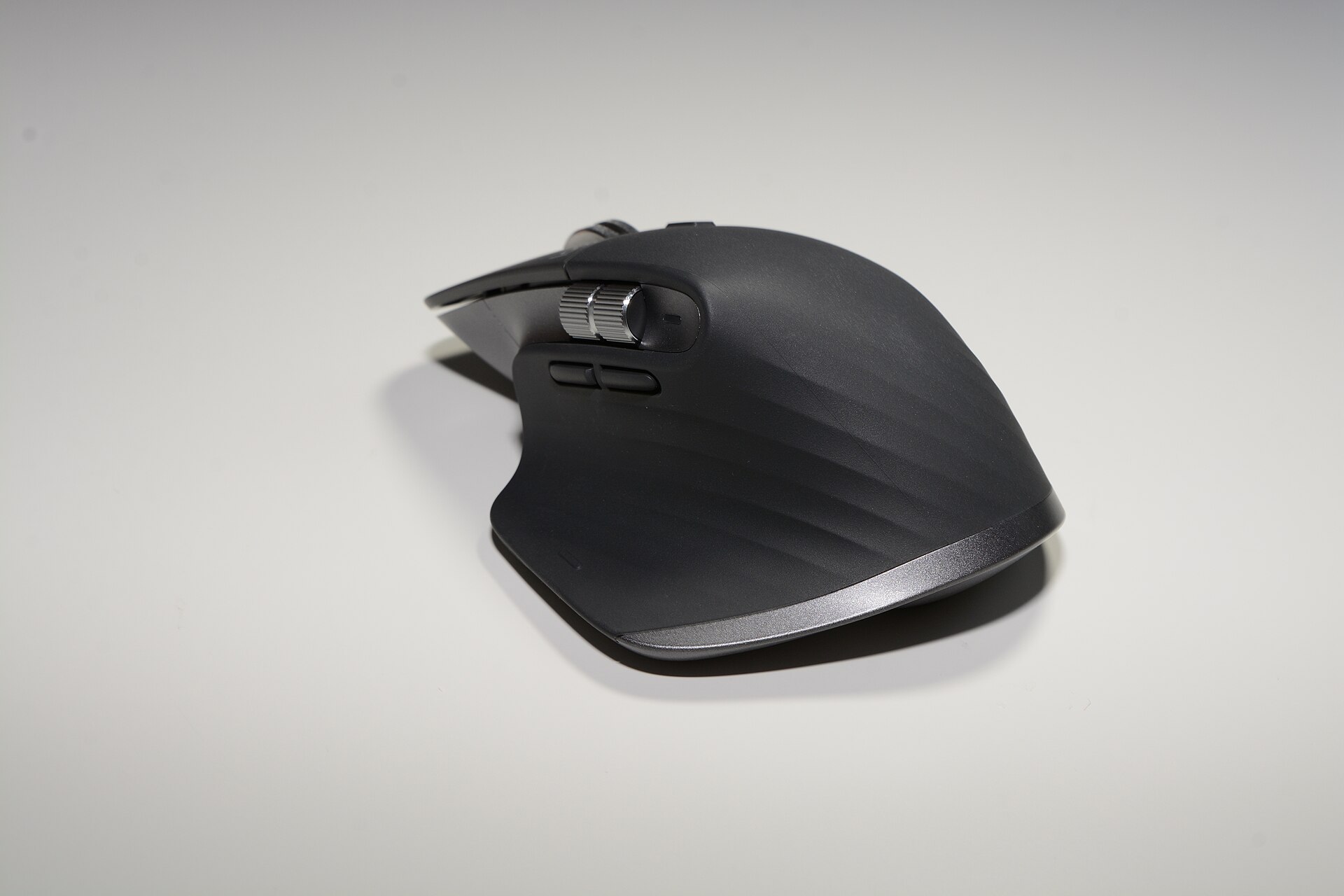
- Compare published specs. Look at the vendor’s product page or datasheet. Samsung’s T7 pages and data sheet list the read/write ceilings and that they require USB 3.2 Gen 2 for top speeds. Logitech’s BRIO datasheet gives supported resolutions and frame rates. Logitech’s MX Master 3S specs list sensor resolution and supported DPI range. Matching these published limits to your baseline reveals whether the new device can exceed your current ceiling. (Cite vendor pages to confirm.)
- Confirm host support. Check your laptop or desktop motherboard documentation for USB/Thunderbolt versions and the GPU/display pipeline for webcam resolutions. If the host lacks the required interface, you may need an upstream upgrade first (for example, a Thunderbolt dock such as the CalDigit TS3 Plus is a way to add ports and power—but the dock and host must both support the necessary standard to deliver full bandwidth).
- Check software settings. Ensure your recording app, streaming software or OS is set to the higher sample rate, resolution, or polling rate the new device offers.
Concrete spec checks that matter
- Mouse: sensor DPI range and polling rate. Logitech publishes the MX Master 3S resolution range (200–4,000 DPI) and shows which connection methods it supports; if your work requires precision above those values, a different class of sensor is needed. If pointer inaccuracy comes from OS pointer acceleration or a graphics refresh mismatch, a new sensor won’t help. (Refer to Logitech’s MX Master 3S product information.)
- Keyboard: switch type and actuation only change feel and key travel. They don’t change typing speed in a measurable way unless current hardware is failing. For wireless keyboards, battery life and connection mode (Bluetooth versus a proprietary receiver) can affect latency for some users; consult vendor specs to check latency claims for the model you’re considering.
- Webcam: resolution and frame‑rate modes are decisive. Logitech’s BRIO 4K specification sheet lists 4K/30fps, 1080p/60fps and 720p/90fps modes; moving from 720p to a 4K capable camera changes the image data available—but only if the application, bandwidth, and CPU/GPU can handle it.
- Microphone: sample rate and bit depth matter for fidelity and headroom; Logitech’s Yeti X specifications list 48 kHz/24‑bit operation. If your DAW or streaming pipeline records at lower sample rates, the extra headroom may be unused.
- External SSD and docks: interface speed is the limiter. Samsung documents the T7’s up to 1,050/1,000 MB/s speeds over USB 3.2 Gen 2 and emphasises the need for compatible cables and host ports. CalDigit’s TS3 Plus dock lists Thunderbolt ports and power delivery figures; the dock can expand ports but cannot exceed the host’s upstream bandwidth. Confirm both dock and host specs before expecting faster transfers or multiple simultaneous streams.
Examples using items in our catalogue
If you transfer large video files, the Samsung Portable SSD T7’s published 1,050/1,000 MB/s ceiling matters only when connected to a USB 3.2 Gen 2 host and the correct cable; otherwise, transfer times will be limited by the host bus. The CalDigit TS3 Plus will add ports and power to a laptop, but both the dock datasheet and your laptop’s documentation determine whether multiple high‑bandwidth devices can run simultaneously without contention. Logitech’s BRIO 4K can provide true 4K capture, but only if the streaming/recording application and the host pipeline accept 4K input. For pointing precision, the MX Master 3S lists sensor resolution and connection options that determine whether it can reduce tracking error compared with older mice; if the problem is operating system pointer mapping, swapping the mouse may not fix it.
Decision rules you can apply right now
- If your benchmarked metric is not at the published limit of the new device, don’t expect a speed or fidelity gain.
- If the host interface is older than the device’s required interface (USB 3.2 Gen 2, Thunderbolt 3, etc.), budget to upgrade the host or the connecting hub first.
- Prioritise replacements that address the specific bottleneck the measurement revealed; convenience and ergonomics are separate, valid reasons to buy, but they are not the same as measurable outcome improvements.
Final practical steps
- Run one repeatable benchmark or measurement for the outcome you care about.
- Compare it to the new device’s published figures (vendor product pages and datasheets are authoritative).
- If the device’s published ceiling is higher and your host supports it, the upgrade can change results. If not, expect comfort, workflow or feature improvements instead.
For quick reference to product pages mentioned here, see our catalogue entries: Portable SSD T7 (select capacities), TS3 Plus - Thunderbolt Station 3 Plus, BRIO 4K, MX Master 3S, Yeti X — Professional USB Microphone, MX Keys S, K2 (Version 2) Wireless Mechanical Keyboard, and Magic Keyboard with Numeric Keypad.
Vendors publish the technical ceilings; match those ceilings to your measured bottleneck before you buy.