
Quick finding
Some spec numbers are functionally important (wireless protocol and latency, true sensor type, key switch make/actuation and rollover, USB interface on docks and SSDs). Others are often marketing figures that rarely change what you can actually do (very high DPI claims, headline frame rates without bitrate or exposure context, “anti‑ghosting” without rollover detail).
Mouse: DPI, sensor type and wireless link
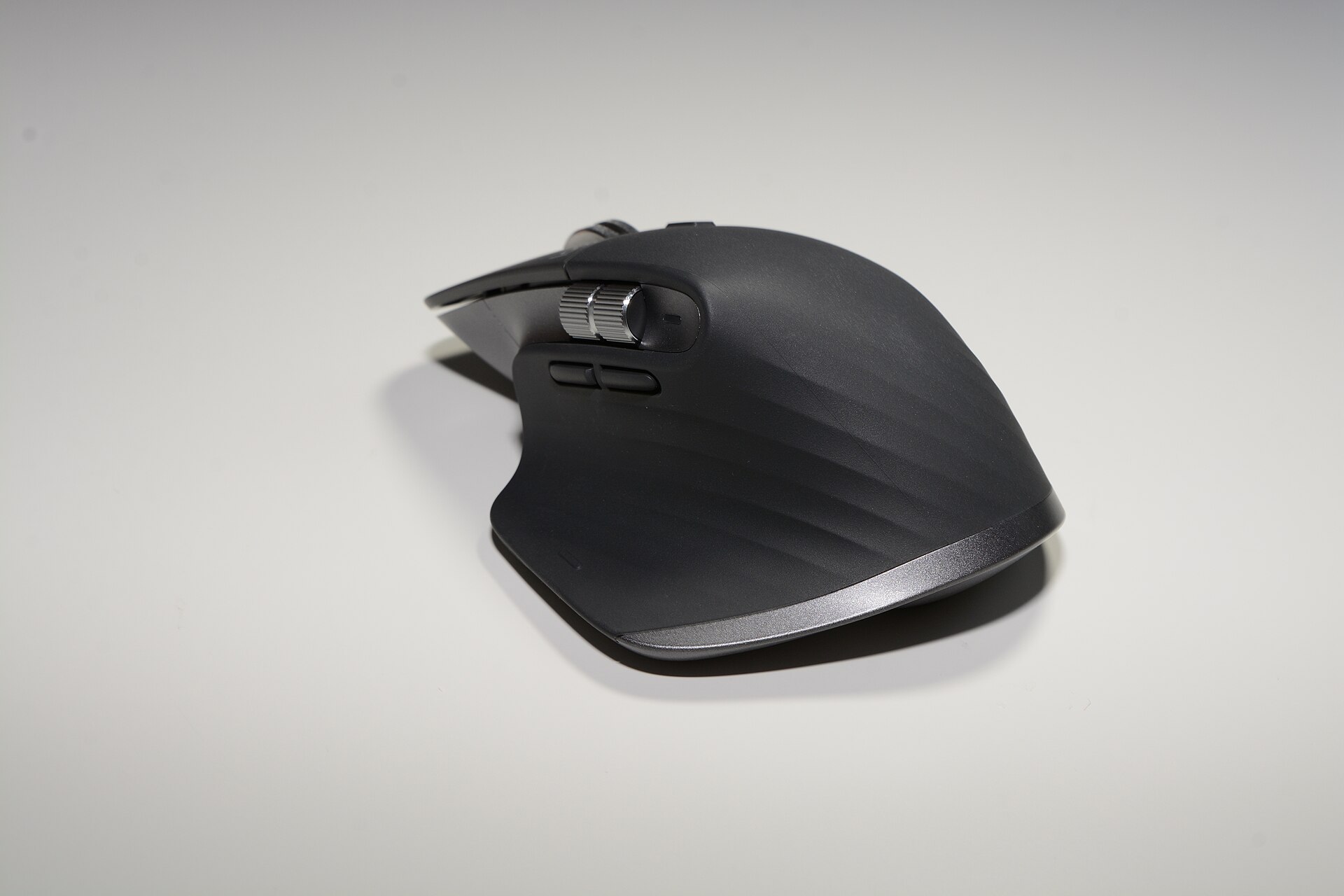
Vendor pages proclaim huge DPI figures. DPI (or CPI) measures the sensor’s native dots‑per‑inch resolution; it only matters when it affects cursor control for the task and the display. For productivity and photo editing a sensor capable of 2,000–4,000 DPI is already more than sufficient on large monitors; higher numbers are meaningful only if you actually use them (extremely high DPI can make fine control worse) or if the sensor’s tracking quality degrades at lower settings. Logitech’s MX Master 3S lists 200–8,000 DPI and a Darkfield sensor; the important part is the sensor family and reported usable range, not the biggest number on the box. Vendor documentation is the authoritative source for those ranges. logitech.com
Polling rate (report rate) changes latency in milliseconds: 125 Hz polls every 8 ms, 1000 Hz every 1 ms. For fast competitive gaming that reduction is perceptible to skilled players; for general productivity it is not. Recent testing and reporting from gaming press shows players and professional teams tune polling rate for performance, but the practical benefit outside esports is small. pcgamer.com
Wireless link matters more than raw DPI. A proprietary 2.4 GHz dongle or a modern low‑latency protocol gives substantially lower latency than generic Bluetooth; reviewers and connectivity tests show dongles commonly outperform Bluetooth for latency‑sensitive tasks. If you need near‑instant responsiveness (gaming, some audio‑visual syncing), choose the right wireless link rather than chasing DPI. rtings.com
See an example product page: MX Master 3S.
Keyboards: switches, travel, and rollover — not “RGB” or a DPI‑style marketing number
What changes typing and physical comfort is the switch characteristics: actuation force, pre‑travel and total travel, tactile vs linear behaviour, and stabiliser quality. Multiple peer‑reviewed studies show that switch mechanism and travel influence typing force, muscle activity and subjective comfort; travel alone is not the only factor but it is a real one. If your priority is comfort for long typing sessions, look at measured travel and actuation force or reputable switch spec sheets, and at independent tests that measure travel and actuation. pmc.ncbi.nlm.nih.gov
“Anti‑ghosting” on many marketing sheets is ambiguous. The useful spec is NKRO (n‑key rollover) or an explicit statement such as “6KRO” plus whether the keyboard offers an NKRO mode over USB. The USB HID boot protocol traditionally reports six simultaneous keys plus modifiers; many vendors ship keyboards in 6KRO for BIOS/boot compatibility and provide NKRO only when a specific USB report mode is used. If your work or gaming requires very large simultaneous chord presses (unusual for typing, sometimes relevant in niche gaming), prefer keyboards that advertise NKRO or provide a documented NKRO toggle. keyboardtest.tech
Example boards in our catalogue you can compare: K2 (Version 2), Magic Keyboard with Numeric Keypad, MX Keys S.
Webcams and microphones: bitrate, codec, sensor size, and polar pattern
Camera specs such as “4K” matter only with context: sensor size, bitrate, exposure control, and USB bandwidth determine image quality. A 4K webcam that streams at low bitrate or aggressive compression will look worse than a well‑exposed 1080p camera with high bitrate and good colour handling. For a webcam you use for conferencing or content capture, prefer devices with a documented framerate at a stated resolution and control over exposure/white balance in software. Logitech’s BRIO 4K provides the 4K claim; check the product page for resolutions and framerates supported. logitech.com
For microphones, headline sample rates (48 kHz, 96 kHz) and bit depth are relevant only if you record high‑resolution audio and your workflow supports it. For voice work or conferencing, polar pattern and signal‑to‑noise ratio matter more: a cardioid condenser tuned for speech and a clean USB interface will outperform a higher sample‑rate mic with poor on‑board processing. See the vendor documentation for the Yeti X for exact sample‑rate and pattern details. Yeti X — Professional USB Microphone.
Docks and SSDs: interface and protocol are the real constraints
For docks the crucial specs are which protocol the port exposes to the host (Thunderbolt 3/4 vs USB‑C with DisplayPort Alt Mode), the upstream bandwidth, and the power delivery wattage. A dock labelled “Thunderbolt station” that uses the full TB3 protocol will transport multiple high‑resolution displays and PCIe‑grade throughput; a cheaper USB‑C dock may not. Check the manufacturer datasheet for supported display configurations, aggregate downstream bandwidth and PD limits. CalDigit’s TS3 Plus is a TB3 station with explicit port capabilities, and the vendor documentation states supported configurations. bhphotovideo.com
For external SSDs, the advertised transfer speed is only meaningful if you match the drive’s interface and your host’s port. A consumer NVMe in a USB‑C enclosure cannot exceed the interface’s top speed; vendors usually state achieved sequential read/write numbers — those are useful for comparing drives only if you confirm the test conditions (file size, encrypted or not, host port). Our catalogue lists the Samsung Portable SSD T7 (select capacities); refer to Samsung’s published specs for sequential speeds and supported host interfaces. Portable SSD T7 (select capacities).
Which marketing numbers are usually noise?
- Huge DPI/CPI maxima printed in large type — often irrelevant unless you use them and your sensor tracks well at those settings. logitech.com
- Frame rates without bitrate, sensor size or exposure behaviour — “4K at 60” is only fully useful when the vendor states whether that is at usable bitrates and with acceptable HDR/exposure handling. logitech.com
- Terms like “anti‑ghosting” without stating rollover (NKRO/6KRO) or the exact keys covered. Marketing often uses the phrase loosely. keyboard-lab.pages.dev
- Battery runtime quoted with unspecified test conditions — vendor numbers often assume light‑use scenarios; look for the conditions used in the vendor’s documentation.
Practical checklist when you evaluate a peripheral
- Find the vendor’s spec sheet and read the small print: look for the connection protocol (Logi Bolt vs Bluetooth vs 2.4 GHz dongle), exact sensor family or switch model, and stated operating ranges (DPI ranges, framerates at specific resolutions). logitech.com
- Match interface to need: TB3/TB4 docks for multiple 4K displays and PCIe throughput; USB‑C for single displays or charging; SSDs need NVMe + compatible host port to hit top speeds. bhphotovideo.com
- Ignore headline numbers unless they are accompanied by measured conditions. For keyboards prioritise switch spec (actuation force, travel) and rollover mode; for mice prioritise sensor family and wireless protocol. mdpi.com
- If latency matters, prefer documented low‑latency wireless modes (dedicated dongle or vendor low‑latency profile) over Bluetooth. rtings.com
Summary
The specifications that change what you can do are the ones that define the connection and signal path (wireless protocol, USB/Thunderbolt standards), the real engineering characteristics (sensor family and usable DPI range, switch actuation/travel, NKRO), and the supported operating modes (framerate + bitrate for webcams, PD wattage for docks). Headline numbers — highest DPI, “anti‑ghosting”, or maximum framerate without context — often serve marketing more than function.
Compare vendor‑published spec sheets for the precise numbers and test conditions before choosing. If you want to start from our catalogue items, check their pages: MX Master 3S, MX Keys S, BRIO 4K, Yeti X — Professional USB Microphone, Portable SSD T7 (select capacities), TS3 Plus - Thunderbolt Station 3 Plus, K2 (Version 2), Magic Keyboard with Numeric Keypad.