
The gap you rarely see up front
Manufacturers and retailers sell product bodies: a mouse, a webcam, a microphone, a keyboard, a portable SSD. For many buyers that’s only the start. To be portable, durable and actually usable in the places buyers use them, these items commonly need mounts, cases, power, memory or third‑party accessories. Those extras are sold elsewhere and add material cost. Below I list the routine add‑ons you should budget for in 2026 and cite vendor specifications or retail pricing so you can plan accurately.
Mouse: the body is cheap, replacement power and comfort can cost more
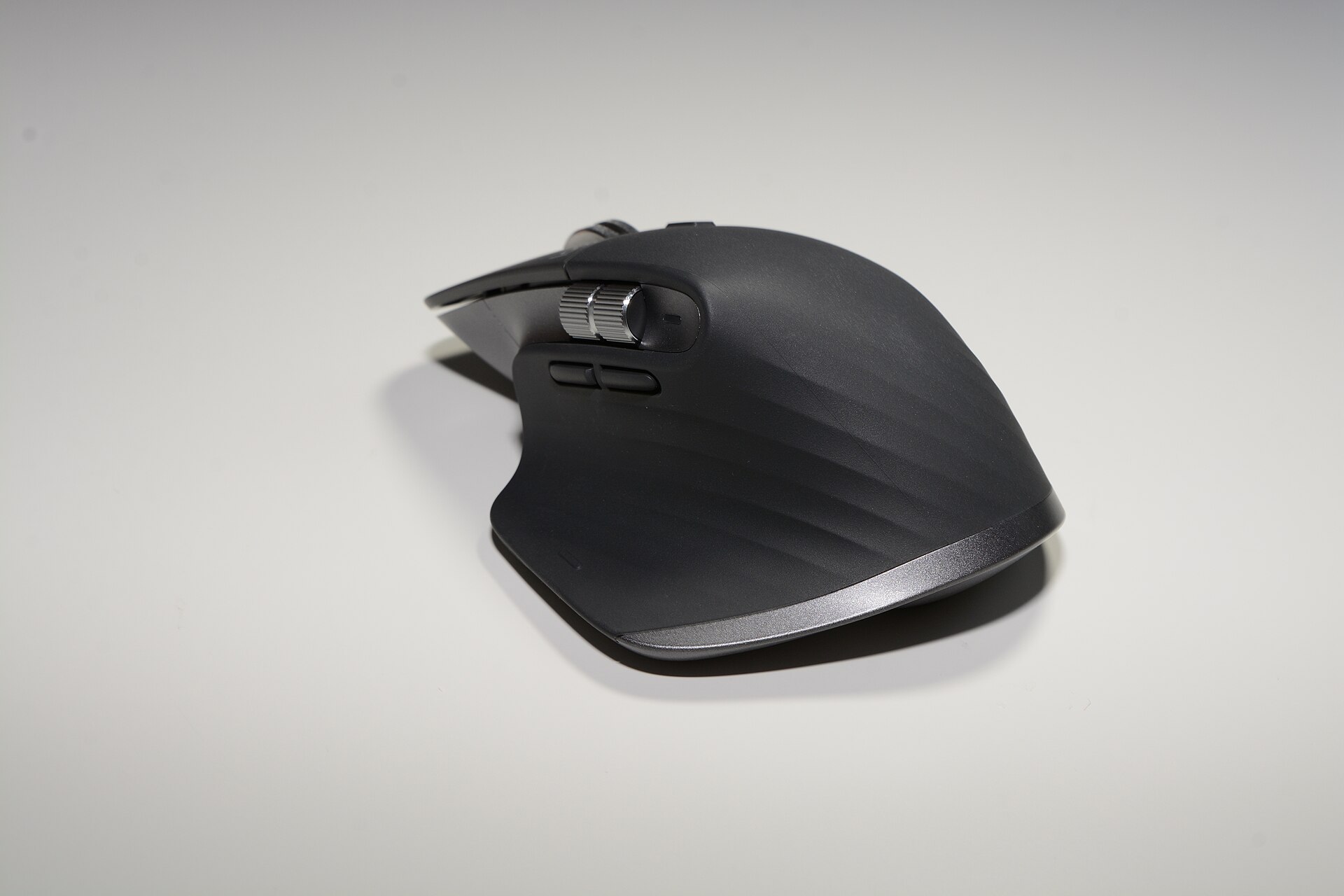
Take a premium productivity mouse such as the MX Master 3S. Logitech lists the MX Master 3S as a rechargeable mouse that ships with a Logi Bolt USB receiver and a USB‑C charging cable; the device uses an internal rechargeable Li‑Po battery and offers a fast‑charge feature (three hours’ use from a one‑minute charge). That means you do not routinely buy AA batteries for this particular model, but you should budget for a charging cable (if you lose the one in the box), a travel case if you carry the mouse, and eventual battery‑end‑of‑life considerations because internal cells degrade over years. Logitech’s product pages and specifications make these points explicit.support.logi.com
Common add‑ons and typical 2026 prices to consider: a small padded travel case ($10–$25); a spare USB‑C cable or short adapter ($6–$20); and, for long‑term ownership beyond the cell’s useful life, a replacement battery or service (where available) or a new mouse — a realistic extended cost over several years. Retail prices for an MX Master 3S in US stores are commonly shown around $99–$110, but sales and bundle pricing frequently change that figure.bestbuy.com
Webcam: the body plus mounts and lighting
Logitech’s BRIO 4K ships with a USB cable and a removable mount clip and provides a 1/4" tripod thread for third‑party mounting. So the camera body can work on a laptop lid or a tripod, but the small mount clip is not a robust carry case and it offers no dedicated lighting. If you buy a BRIO 4K for portable streaming or hybrid meetings, budget for a small tripod or desk mount ($15–$50), a USB‑A/USB‑C extension or powered hub if your host device lacks a compatible port ($10–$40), and—critically—lighting. A compact LED panel or ring light for consistent results typically adds $30–$120 depending on quality. Logitech’s datasheet documents the mount and what is included in the box.logitech.com
Microphone: the body rarely ships with an arm or pop filter
USB condenser microphones aimed at streamers and podcasters (for example the Yeti X) ship as single units with a desktop stand, and the capsule often uses standard threading so you can remount it on industry arms. Logitech’s Yeti X documentation notes the microphone can be removed from its base and fitted to boom arms and aftermarket shock mounts; the vendor also highlights the internal shockmount that reduces handling noise. However, the bundled desktop stand is not a boom arm and offers less isolation and positioning flexibility than a dedicated arm or shock mount. Budget items: a broadcast boom arm ($40–$150), a shock mount where needed ($15–$60), and a pop filter/windscreen ($8–$25). Logitech’s product page and spec sheets state compatibility and the removable‑stand design.logitechg.com
Portable SSDs: the drive is only half the kit if you carry files
Samsung introduced the Portable SSD T7 family with manufacturer price points that started at specific capacities (Samsung announced 500GB, 1TB and 2TB SKUs when the product launched) and lists technical compatibility and included cables on its product page. In 2026 the T7 remains a recommended portable SSD, but market pricing has fluctuated: vendor MSRP and seasonal sales are both in evidence and retail prices seen recently for the 1TB T7 have ranged in sale windows from roughly $190 up to $280 depending on stock and promotions. If you carry the drive you should budget for a protective case ($8–$30) and, for professional workflows, a USB‑C to USB‑C cable rated for USB 3.2/10Gbps or an adapter for older hosts ($8–20). Samsung’s launch and product pages list the capacities and the official starting prices at launch.news.samsung.com
Keyboards and extras
Full‑size premium keys such as the MX Keys S or Apple’s Magic Keyboard with Numeric Keypad are sold as bodies; extras buyers commonly add are a wrist rest, a travel sleeve, or a separate keycap set for mechanical models. An MX Keys S will do most daily work without extras, but mechanical keyboard buyers (for example the Keychron K2) often invest in a case, extra keycaps, a carrying pouch or a coiled USB‑C cable to get the look and feel they want. That work is rarely mandatory, but it is a frequent incremental spend: wrist rests $10–$35; carrying cases $8–$40; premium keycaps $20–$60. Vendor product pages and retail listings identify what is included in the box so you can see what you will need to buy separately.logi.com
Putting the totals together
To make this concrete, here are example near‑minimum sums (rounded, USD, retail‑market 2026):
- MX Master 3S body ≈ $99; travel case $15; spare cable $10. Working kit ≈ $124. (Logitech lists included cable and receiver but cases/cables are common buys.)bestbuy.com
- BRIO 4K body ≈ $150–$200 depending on retailer; tripod $25; LED ring or panel $50. Working kit ≈ $225–$275. (Logitech’s datasheet shows the clip and tripod thread but no light or case.)logi.com
- Yeti X body ≈ $129–$169 (retail varies); boom arm $50; shock mount/pop filter $25. Working kit ≈ $204–$244. (Logitech documents removable stand and standard mounting threading.)logitechg.com
- Samsung Portable SSD T7 1TB body: MSRP at launch was $199; recent sale prices in 2026 have ranged lower or higher by promotion. Add a case and cable ($20–$30). Working kit ≈ $210–$230 in a sale; full retail can be higher. Samsung’s launch material and retail listings give capacity pricing and distribution.news.samsung.com
What this means for buyers in 2026
The main takeaway is straightforward: multiply the body price by approximately 1.2–1.5 to reach a baseline working kit if you plan to travel or need reliable desktop setups. The multiplier is bigger for creators who must buy lighting, mounts, shock isolation and robust cases. Vendor documentation and product specifications tell you what is included; retailers’ current pricing shows how much you will pay for the parts that are not. If you need firm planning numbers, check the product page for what is in the box and then add concrete accessory prices from reputable retailers — vendor pages and large photo/audio resellers are the best immediate sources for those accessory prices.support.logi.com
Buy the body, check the box contents, then budget for the mount, cable, case and power that make it usable.
How to budget fast
- Open the vendor product page and read the box contents. If the vendor lists a cable, battery type or mount use that as your baseline. (Logitech and Samsung publish these lists on their product pages and datasheets.)support.logi.com
- Decide whether you will carry the item. If yes, add a small protective case or sleeve and a shorter cable; price these from the stores you actually buy from.
- For microphones and webcams, add a boom arm or tripod and basic lighting unless you have room lighting that is already good for video or recording.
- Factor in replacements: internal rechargeable batteries degrade. For non‑user‑replaceable cells, assume a refresh cost after several years or plan a reserve budget to replace the unit. Community reporting and vendor support pages note that internal cells are not always easily serviced.reddit.com
Use the vendor’s spec sheet and authoritative retail listings as your truth sources. The lists and example sums above use those public pages for the details; they are the only reliable way to move from a headline price to a realistic working‑kit budget.