
Summary finding
Vendors use short, attractive terms to describe peripheral capability. Those terms are accurate only within a narrow technical meaning — and the details that determine real-world performance are usually buried on product pages or technical datasheets. Read the fine print: the headline term (DPI, 4K, ‘quiet’, LE, Thunderbolt, NVMe) tells you a capability class but not the constraints that decide whether the device will meet your needs.
1. "DPI / CPI" — resolution is not the same as usable precision
Manufacturers routinely advertise very large DPI figures for mice. DPI (or CPI on some datasheets) is the number of sensor counts reported per inch of physical movement; it is a sensor resolution, not a guarantee of smoother or more accurate control in every context. High DPI simply means the sensor can report small increments — whether that matters depends on software (in‑game sensitivity, OS scaling) and on the sensor’s tracking quality at that setting. PCWorld explains that a useful DPI depends on use and that headline DPI numbers are often misinterpreted. pcworld.com
Practical test to look for in the spec
- Whether the vendor lists a usable range (for example 100–8,000 DPI) and whether the sensor is optical vs laser — optical sensors usually have more predictable behaviour at different DPIs. See general explanations of DPI and sensor behaviour. en.wikipedia.org
2. "Polling rate" or "report rate" — latency in hertz
When a vendor says “1,000 Hz polling” or “1 kHz report rate” they mean the mouse can notify the host up to 1,000 times per second (one update per millisecond). That reduces the interval between physical motion and the computer seeing it, but it does not remove all latency: USB stack, CPU scheduling and software layers still add delay. Recent commentary for competitive players explains why higher rates reduce one component of input lag but are not a substitute for entire-system tuning. pollingratetester.com
How manufacturers hide limits
- They advertise the maximum polling rate but not whether it’s selectable or falls back on battery power or Bluetooth. Many wireless mice only reach top polling rates when used over a vendor dongle or wired. Check the product page for radio-specific performance notes.
3. "Quiet", “silent” or “quiet clicks” — reduced sound, not zero feel
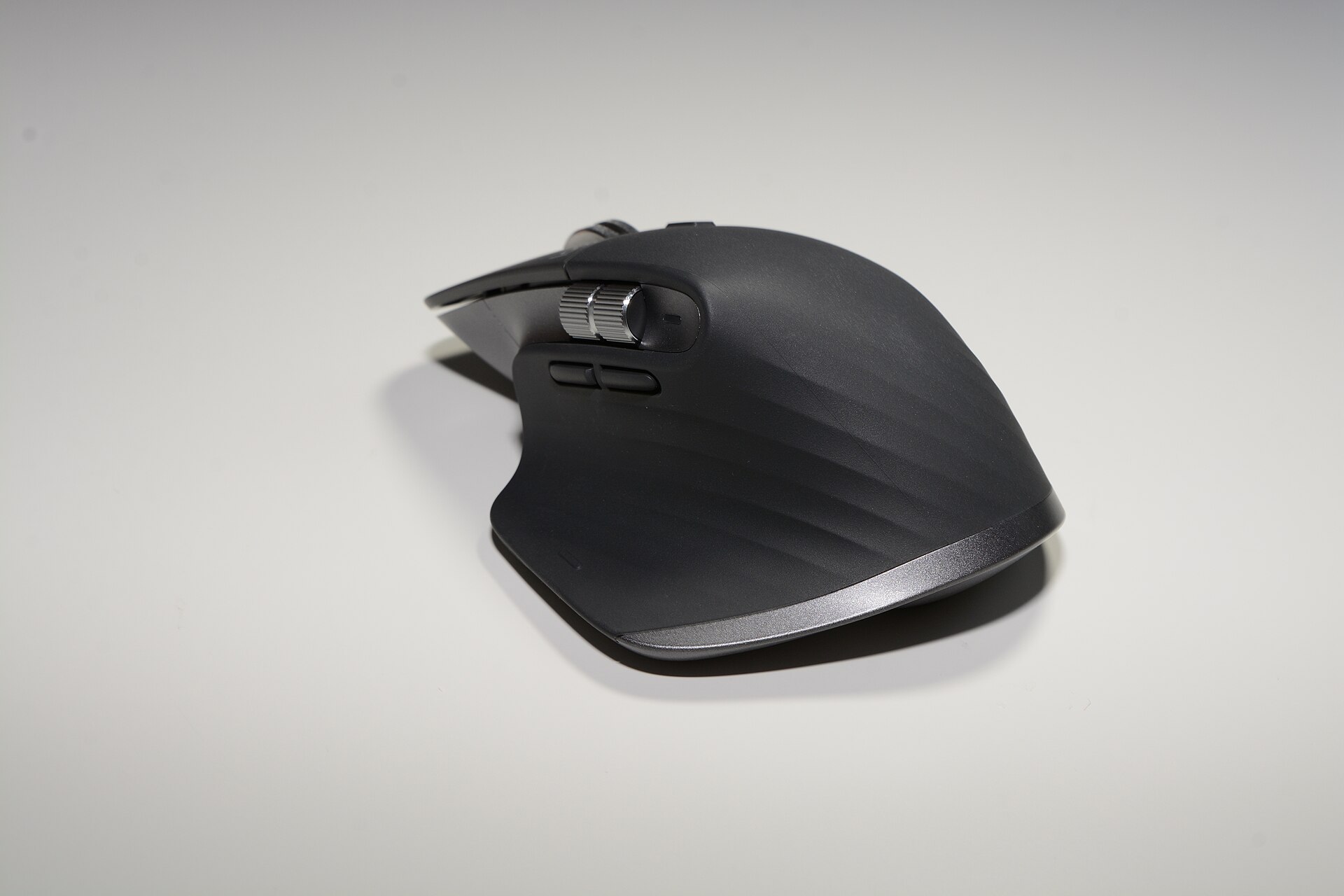
Terms such as “quiet” and “silent” describe acoustic output, not tactile feedback or durability. Vendors sometimes quantify the reduction (Logitech states its MX Master 3S has a 90% reduction in click noise compared with the earlier MX Master 3, measured at one metre), which is useful because “quiet” is otherwise ambiguous. Read the vendor note for the measurement method. hub.sync.logitech.com
What that means when choosing
- If you want lower noise in a shared workspace, look for vendor-stated decibel reductions or an explicit measurement distance; otherwise expect the same mechanical travel and click feel even if it sounds quieter.
4. “Bluetooth”, “Bluetooth LE”, and proprietary wireless — different radios, different trade‑offs
“Bluetooth” on a spec sheet can mean very different things. Bluetooth Classic (BR/EDR) and Bluetooth Low Energy (LE) are distinct radio subsystems in the Bluetooth specifications. LE was designed for lower power and is increasingly the primary option for peripherals; it now supports HID over GATT (HOGP) for mice/keyboards and LE Audio for headsets. The Bluetooth SIG and market updates explain the distinction and the industry’s shift to LE. bluetooth.com
Battery life vs latency vs multi‑device pairing
- Bluetooth LE devices often win on battery life and simpler reconnection but may add a few milliseconds of latency compared with a vendor’s proprietary 2.4 GHz dongle (which is tailored for lower-latency HID). Vendors almost always document supported profiles and whether features — e.g. multi‑host switching — are limited to their own dongle or to Bluetooth mode. Look on the product page for details.
5. "4K" for webcams — resolution, not low‑light quality or lens field
“4K” on a webcam means the imager can capture up to approximately 3,840 × 2,160 pixels, but that says nothing about frame rates at that resolution, HDR handling, low‑light noise, or field of view. Logitech’s BRIO 4K product documents its 4K capability along with HDR and other features, and the datasheet is the place to check frame rates and supported codecs. logitech.com
What to check
- Vendor datasheets for supported framerates at 1080p vs 4K, HDR support, and whether the camera uses hardware encoding or relies on host CPU.
6. “Thunderbolt-ready”, “Thunderbolt 3/4” and docking stations
Docking stations often use the Thunderbolt trademark to sell capability. Thunderbolt 3 offers up to 40 Gb/s of host bandwidth and can support high-speed storage, multiple monitors and power delivery, but the dock’s physical ports, available lanes and power budget determine what you actually get. CalDigit’s TS3 Plus documentation lists the Thunderbolt link, power delivery capability and port map — the dock’s advertised Thunderbolt support does not automatically mean full 40 Gb/s to every port simultaneously. Always read the dock’s spec sheet for maximum simultaneous throughput and laptop charging wattage. caldigit.com
7. External SSD marketing — NVMe + USB version = speed limits
External drives like the Samsung Portable SSD T7 pair a fast NVMe internal controller with a USB transport. Samsung’s product page lists sequential read speeds around 1,050 MB/s for the T7, which are achievable only over a USB 3.2 Gen 2 host port; the USB connector and the host port both limit top throughput. The product page is the authoritative place to verify the exact read/write figures and the required host port. samsung.com
8. "Professional" or "studio" labels on microphones and audio interfaces
Descriptors such as “professional” highlight intended uses (streaming, podcasting) and sometimes bundle software features (LED level meters, multi‑pattern capsules), but they don’t guarantee broadcast‑grade performance. The vendor’s specification sheet for the product lists capsule type, sample rates, and supported host interfaces; those details determine whether the mic fits a particular studio workflow. Logitech’s Yeti X page lists intended uses and features that position the microphone as a streamer/podcaster product — consult the product spec for sample rate and interface details. logitechg.com
How to read the page: action checklist
- Find the vendor’s specification sheet or datasheet and read the exact metrics (e.g. read/write MB/s, DPI ranges, polling rate, power delivery wattage, supported Bluetooth profiles). Vendor pages are authoritative for the claim. samsung.com
- Where the headline term is a maximum (DPI, 4K, 1 kHz), check for conditional notes: “over wired only”, “with vendor dongle”, “measured at 1 m”, or “requires USB 3.2 Gen 2 port”.
- For wireless, check which mode is used for the top figures (dongle, Bluetooth Classic, Bluetooth LE) and whether multi‑device switching is limited to the vendor’s own software or hardware.
- When vendors compare generations ("90% quieter" etc.), seek the reference: what was measured, under which conditions, and where the measurement is documented. Logitech has a short note on its MX Master 3S quiet‑click claim. hub.sync.logitech.com
Examples from our catalogue
- The Logitech MX Master 3S is advertised with the Quiet Click feature and an upgraded sensor; Logitech publishes a noise‑reduction note and business datasheet that should be consulted for the measurement method. logitech.com
- The Logitech BRIO 4K carries the 4K badge; Logitech’s product page and datasheet list supported resolutions and HDR capability — check those documents to confirm frame rates and codec requirements. logitech.com
- The CalDigit TS3 Plus is a Thunderbolt 3 dock; CalDigit’s site lists the power delivery, port layout and the requirement that laptop ports must support Thunderbolt for full functionality. caldigit.com
- The Samsung Portable SSD T7 specifies up to ~1,050 MB/s reads where a USB 3.2 Gen 2 host is available; Samsung’s page is the source for the maximum sequential figures. samsung.com
- Logitech’s Yeti X — Professional USB Microphone is positioned for streamers and podcasters; the product page lists its features and technical quick specs. logitechg.com
Bottom line
Headline terms on peripheral product pages describe a capability class but rarely give the whole picture. Use vendor datasheets and spec pages to check the exact conditions for a claim — whether top DPI needs wired use, whether 4K is supported at 30 or 60 fps, whether Thunderbolt is full bandwidth or shared across ports. The vendor’s own documents are the authoritative source for the detail that turns a marketing phrase into a usable spec. Where our catalogue links appear above, readers can start at the product page and then open the vendor technical documents cited there.