
The finding
Buying a peripheral is rarely a single transaction. The initial price is only part of the cost: receivers and pairing systems, proprietary firmware and software, encryption and drivers, and dock compatibility can each add friction and expense when a user tries to change platforms later. The vendor documentation shows where those costs actually come from and which devices avoid them.
Three common lock points
- Receiver ecosystems and pairing standards. Some vendors use proprietary USB dongles that are not interchangeable with older or newer receiver types; a device that needs a specific receiver can effectively be tethered to that vendor’s ecosystem until the user replaces hardware. Logitech’s documentation notes that Logi Bolt devices and Unifying devices are incompatible: a Bolt-only product will not pair with a Unifying receiver and vice versa. This matters when upgrading a single peripheral or moving devices between machines. support.logi.com
- Software-dependent features and cloud services. Special features such as cross‑computer pointer flow, custom key maps and on‑device macros are often delivered through vendor apps. Logitech’s Options+ release notes show that features like Flow and Actions Ring depend on specific OS versions, firmware and the vendor’s app; when those requirements change, so does the ability to keep features without using that vendor’s software. marketplace.logi.com
- Firmware, encryption and platform compatibility. Encrypted drives, docks that rely on Thunderbolt versions, and firmware updates that carry platform prerequisites create practical lock‑in. Samsung’s T7 support documents confirm that the drive uses vendor software for password protection and firmware updates; losing access to the vendor app or encountering an unsupported OS makes secure access or migration more difficult. CalDigit’s TS3 Plus documentation warns that some PC manufacturers restrict USB‑C/Thunderbolt functionality, and that docks have defined Thunderbolt/USB limits — meaning a dock purchased for one laptop may behave differently (or less fully) on another. samsung.com
Examples from common products
Below are concrete points drawn from vendor documentation and support pages; each note links to the product in the prices catalogue where it appears.
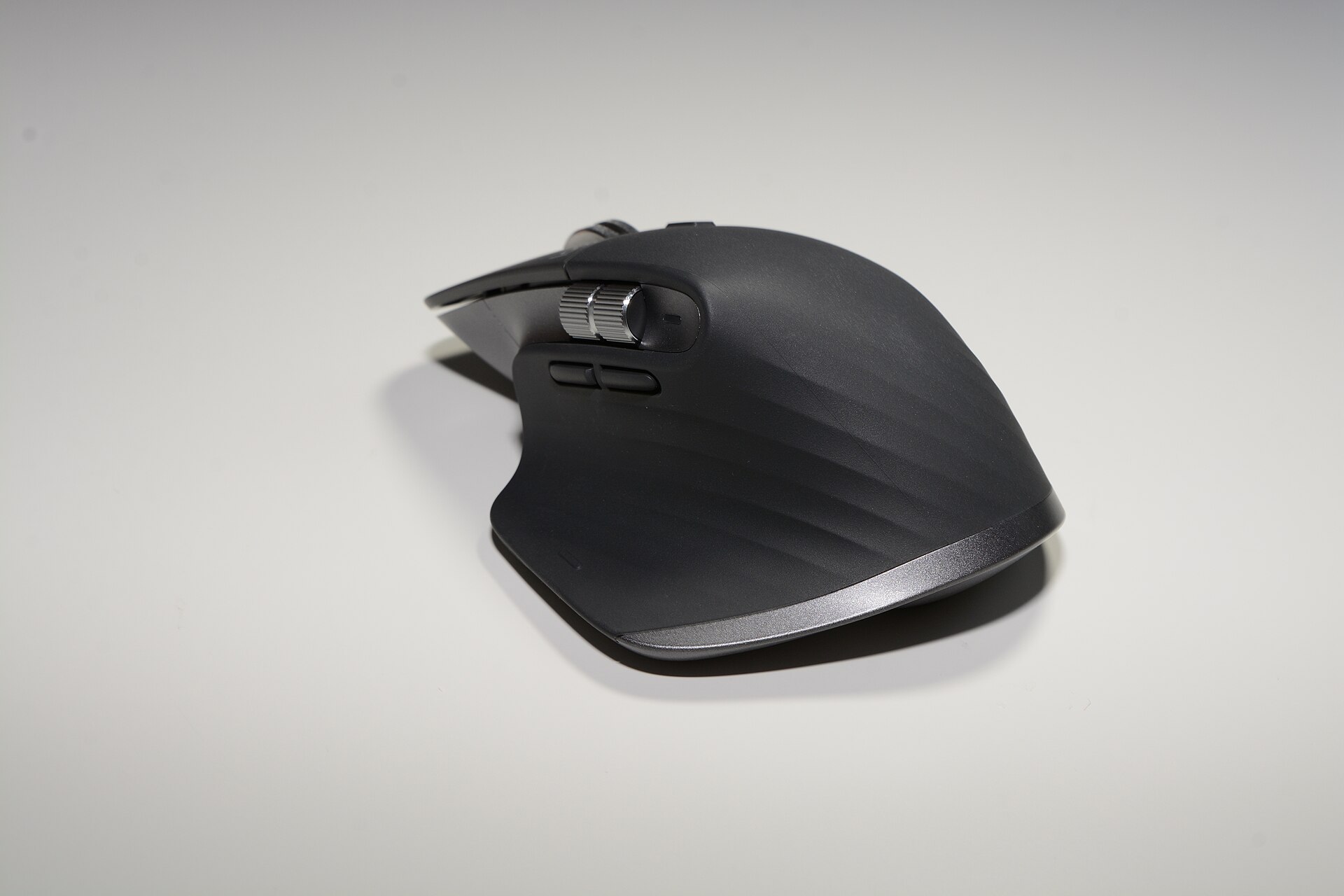
- MX Master 3S — The MX Master 3S supports Bluetooth, Unifying and (for some SKUs) Logi Bolt pairing, and benefits from Logitech’s Flow and Options+ features. Logitech’s support pages explicitly state that Bolt and Unifying receivers are not compatible, so replacing a lost or broken receiver can mean buying a new receiver matched to the exact product family. Logitech’s Options+ release notes also list OS‑level prerequisites for Flow and other features, which can prevent feature parity if the host OS lacks updates. logitech.com
- MX Keys S and BRIO 4K — These devices rely on the same software ecosystem for advanced functions; the software manufacturer’s security whitepaper and release notes show data collection and compatibility checks that govern feature availability. If a user leaves the Logitech app, some convenience features stop working while basic functions remain. secure.logitech.com
- Magic Keyboard with Numeric Keypad — Apple’s keyboard pairing is standard Bluetooth, so it is less tied to a single vendor by receiver type. However, Apple’s keyboard layout and macOS/iOS integration deliver shortcuts and behaviours that are not perfectly preserved on Windows or Android without third‑party remapping. Vendor documentation shows broad Bluetooth compatibility, but cross‑platform parity is a separate, non‑technical cost (time spent remapping or learning different shortcuts). (See Apple support pages for OS behaviour.)
- Portable SSD T7 (select capacities) — Samsung’s T7 uses the vendor’s Portable SSD Software for password protection and firmware updates. The support pages document that firmware updates and software are provided through Samsung’s app; losing access to that app or attempting to open an encrypted T7 on an unsupported OS adds steps — and potential cost — to migration. A vendor’s support manual also explains that firmware updates should be applied before changing hosts. samsung.com
- TS3 Plus – Thunderbolt Station 3 Plus — CalDigit’s own spec pages show the dock supplies up to 87W and supports Thunderbolt 3 and Thunderbolt 4 hosts, but also warns that some OEM laptops restrict port functionality. That means a dock that works fully with one machine might only offer a subset of ports on another — an interoperability risk that can require adapters or a replacement dock when switching laptops. caldigit.com
- K2 (Version 2) Wireless Mechanical Keyboard — Keychron publishes multi‑device Bluetooth support and cross‑platform key layouts on the product page; the keyboard avoids proprietary receivers by offering standard Bluetooth pairing, which reduces receiver‑type lock‑in but leaves feature parity (macOS vs Windows keys, some function keys) as a usability gap. keychron.com
- Yeti X — Professional USB Microphone — USB microphones generally behave as class‑compliant audio devices with basic functionality on any OS, but vendor software provides advanced DSP, presets and firmware updates. Losing access to the vendor app removes those extras while leaving the basic microphone usable. (See vendor documentation for exact software features.)
What leaving costs in practice
When a user decides to stop using a vendor’s ecosystem, the costs fall into a few repeatable categories. Each is drawn from vendor pages and documented behaviour.
- Replacement hardware: lost or incompatible receivers, purpose‑built docks or SSDs with vendor‑specific encryption can require buying new hardware. Logitech’s support pages show receiver incompatibilities (Bolt vs Unifying), making receiver replacement potentially non‑trivial. support.logi.com
- Adapters and converters: docking stations and display outputs may need active adapters when moving between Thunderbolt/USB‑C generations; CalDigit’s documentation warns of platform restrictions and differing power delivery limits. That frequently adds $20–$150 for adapters or cables from third‑party vendors, and sometimes a second dock if the original is platform‑limited. caldigit.com
- Time and configuration: migrating macros, keymaps and remapping shortcuts costs labour. Vendor apps often provide export/import, but where they don’t (or when formats differ between OS versions) manual reconfiguration is required. Logitech’s Options+ notes show specific OS and firmware prerequisites for some features — if those prerequisites aren’t met on the new host, the features are lost. marketplace.logi.com
- Data migration and recovery: encrypted external drives that rely on vendor software for unlocking can be difficult to migrate to a new host if the software is unavailable. Samsung’s T7 documentation emphasises using the vendor app for password management and firmware updates; failure to handle updates before a platform switch can complicate recovery. samsung.com
- Partial functionality losses: some features are app‑level conveniences (pointer Flow, smart actions, per‑app profiles) and stop working outside the vendor’s ecosystem even when the hardware still functions. That reduces the effective value of the original purchase and sometimes forces a hardware swap to regain the lost convenience. marketplace.logi.com
How to minimise exit costs
- Prefer Bluetooth or class‑compliant USB devices where possible (for example, many Keychron keyboards and Apple’s Magic Keyboard use Bluetooth), because they avoid receiver‑type incompatibilities. Keychron’s product page documents multi‑device Bluetooth support. keychron.com
- Keep vendor software and firmware up to date before switching hosts. Samsung’s manuals for the T7 explicitly instruct users to update firmware via the vendor app prior to changes, and CalDigit publishes firmware‑updater downloads for docks. download.semiconductor.samsung.com
- Check receiver type and future roadmap before buying. Logitech’s support pages make the Bolt/Unifying split explicit; buying a Bolt‑free device avoids that specific compatibility trap. support.logi.com
- Retain original receivers and cables. A dock or receiver plugged into a workstation is often the cheapest path to cross‑machine continuity. If a receiver is lost, verify compatibility before ordering a replacement. logitech.com
- Export settings where the vendor app allows it. Some vendor apps provide profile export; when they do not, keep screenshots and notes of custom mappings to speed reconfiguration on a new device. Logitech’s Options+ documentation lists profile and feature requirements that can affect portability. marketplace.logi.com
Final judgement
Peripherals are inexpensive starting points for a larger commitment. Vendor documentation is clear: receiver types (Logi Bolt vs Unifying), firmware‑dependent features and dock Thunderbolt limitations are real constraints. Choosing Bluetooth/class‑compliant devices, keeping firmware current, and confirming receiver compatibility before buying are effective, low‑cost ways to reduce future exit expenses. For specific device behaviour, consult the vendor support pages cited above and the product pages in this catalogue for the exact SKU involved.