
The short answer
The cheapest peripheral we’d recommend owning in 2026 is the Keychron K2 (Version 2) wireless mechanical keyboard. It delivers the essential benefits of a modern, durable keyboard — true mechanical switches, reliable wireless, decent battery life and solid stabilisers — at a price point where the next step down loses the defining parts of the experience.
What the K2 actually is
The Keychron K2 (Version 2) is a compact 75% wireless mechanical keyboard that Keychron sells for the budget-to-midrange market. Keychron’s product page lists the model, its wireless and wired modes, switch options and layout details.keychron.com
Why this is the ‘cheapest worth owning’
- Mechanical switches: The K2 uses genuine mechanical switches (various Gateron or Keychron-branded options), which give predictable actuation, longer life and a typing feel that cheap membrane boards cannot match. The difference is one of component type, not a minor tuning choice — mechanical switches withstand millions of actuations and are serviceable.
- Wireless that works: The K2 supports Bluetooth multi-device pairing and a wired USB-C option. That combination means a single keyboard can serve a laptop and a phone/tablet with no repeated pairing drama that plagues the cheapest boards.
- Repairability and parts: At this price and class you can reasonably expect replaceable keycaps and often switch-level servicing; very cheap boards typically glue or mould keycaps and use integrated membrane layers that aren’t replaceable.
- Typing quality vs cost: The step up to a well-built mechanical keyboard like the K2 is large enough to be obvious but small enough that it is affordable — it’s the balance point where the cost buys a fundamentally different, longer-lived experience.
How the K2 compares with a few higher-cost alternatives
If you have more to spend, full‑size premium keyboards and modern productivity-focused boards add features the K2 doesn’t supply. For example, Logitech’s MX Keys S is a purpose-built productivity keyboard with Logitech’s low-profile scissor switches, smart illumination and deep OS integration; see Logitech’s product page for the MX Keys S for details.logitech.com
Apple’s Magic Keyboard with Numeric Keypad is another step up for Mac users who prioritise shallow travel, native Mac-key legends and Touch ID (on compatible Mac hardware) — Apple’s store lists the model and current configurations.apple.com
Those boards are smoother or more feature-rich in specific ways, but they sit at a higher price and often sacrifice the mechanical switch feel, hot‑swap repairability or broad platform compatibility that the K2 gives you.
Exactly what you give up below the K2
Buy a keyboard cheaper than the K2 and you’re typically trading away one or more of the following concrete things:
- Mechanical switches: Under about the K2’s price point you move to dome‑or-membrane key mechanisms. These provide a quieter, flatter feel when new but wear faster, feel less distinct and cannot be serviced at the switch level.
- Durability and lifespan: Cheap membrane boards often use lower-grade plastics and soldered matrixes; they are intended to be disposable after a few years rather than repaired.
- Wireless reliability and multi‑device pairing: Many cheaper boards offer a single unreliable Bluetooth channel or a proprietary 2.4 GHz dongle with limited OS support; the K2’s multi‑device Bluetooth plus wired USB-C is simply more flexible.
- Keycap quality and stabilisers: Lower-cost keycaps are thinner, more prone to shine and less consistent; stabilisers on budget boards are often rattly and non‑adjustable.
- Feature parity: Things such as full NKRO over USB, firmware updates, switch choice and aftermarket modding ecosystem disappear below the K2 price range.
When a cheaper keyboard might still be acceptable
There are sensible reasons to buy below the K2 if any of these apply to you:
- You type extremely rarely and treat the keyboard as a consumable. If you use a keyboard for a few hours a week, cheaper options will do the job short‑term.
- You need full waterproofing or a very specific embedded form (for industrial use) — those are niche and sometimes cheaper purpose-built controllers are better suited.
- Cost is the only constraint and you are prepared to replace the board every 12–36 months when keys fail.
How to get the K2’s advantages at the lowest real cost
- Buy the K2 with standard ABS keycaps rather than premium options; the keyboard itself is the primary quality gain.
- Accept a linear or tactile Gateron switch — do not chase the rare top-shelf switches if you want the cheapest worthwhile option.
- Keep the box for warranty and check the seller; Keychron sells directly with full product information.keychron.com
Other peripherals: where the ‘cheapest worth owning’ bar sits
The same principle applies to other peripherals in our coverage. For example, a dedicated midrange webcam or microphone often delivers a much better meeting or recording experience than the cheapest plastic alternatives.
Logitech’s BRIO 4K remains an example of a webcam that justifies its price for people who need reliable image quality, and Logitech’s product page summarises its features.futureisnow.logitech.com
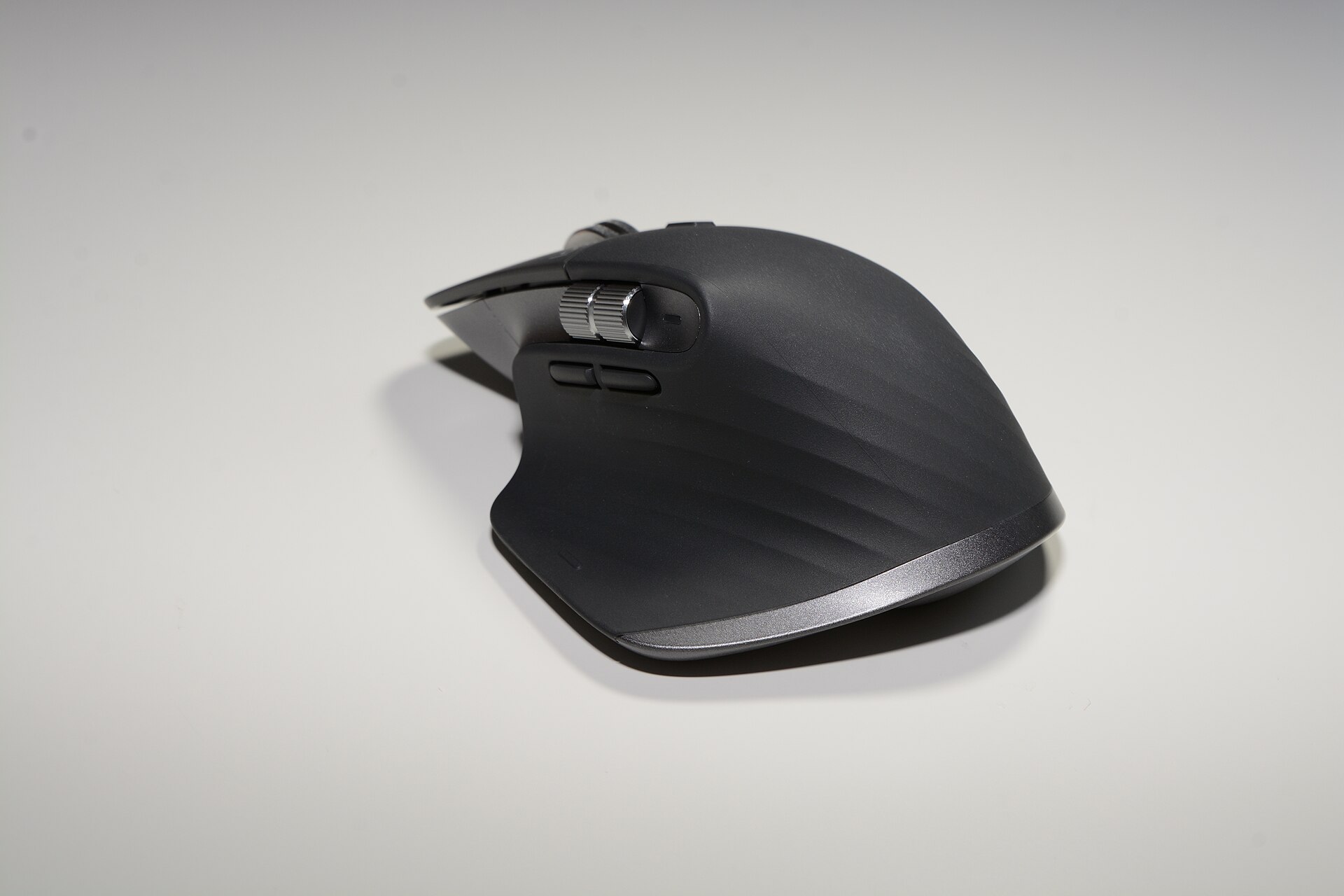
For mice, Logitech’s MX Master 3S is a productivity mouse that offers multi‑device support, advanced scroll behaviour and ergonomic shaping — Logitech’s product page lists the MX Master 3S’s features should you be weighing it against cheaper two‑button mice.logitechg.com
Buying decisions and final checklist
If you’re choosing a keyboard and wondering whether to pay the extra for the K2 rather than a $20 board, ask yourself three concrete questions:
- Do I want mechanical switches that are servicable and replaceable?
- Will I use Bluetooth multi‑device pairing or need wired USB-C for reliability?
- Do I prefer a keyboard that can be modified or repaired rather than replaced when it fails?
If you answered yes to any of those, the K2 is the cheapest choice that protects those needs. If the answers are all no, a cheaper board will suffice for a limited time, but expect to replace it sooner.
Where to read vendor specifics
Keychron’s product page lists the K2’s layouts, switch options and connection modes.keychron.com Logitech’s pages for the MX Keys S and MX Master 3S list each product’s precise features and platform compatibility.logitech.com Apple’s store lists the Magic Keyboard with Numeric Keypad specifications and compatibility.apple.com
Summary
The Keychron K2 (Version 2) is the most affordable keyboard that still offers the essential, long‑term advantages of mechanical switches, reliable wireless and repairability. Below it you give up replaceable switches and robust wireless behaviour; above it you pay for refinements such as low‑profile scissor switches, deeper OS integration and premium materials. Choose the K2 if you want a genuine mechanical typing experience without paying for premium extras that many users never need.