
Quick finding
Many peripherals include the minimal cable or adapter needed to work on a mainstream computer; a smaller number require extra items (mounts, certified cables, docking stations) to deliver the performance vendors advertise. Those extras are often sold separately and materially raise the true cost of getting a finished setup.
How to read this article
Statements about what’s included, what’s required, and performance caveats are taken from vendor documentation and product specifications. Prices are not invented here; the article points to the vendor facts you should check before assuming a product is plug‑and‑play.
Peripherals covered
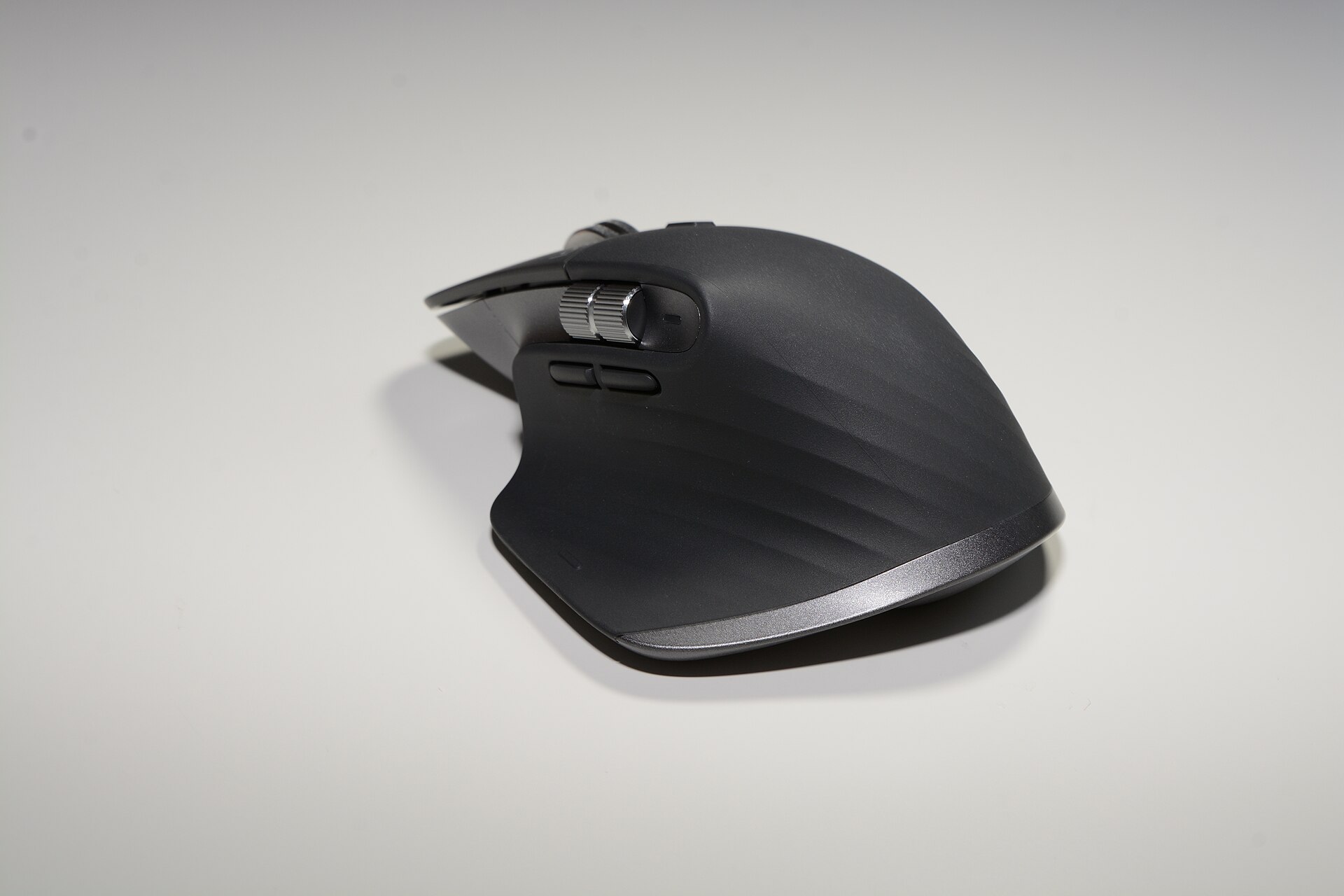
- MX Master 3S (mouse)
- MX Keys S (keyboard)
- BRIO 4K (webcam)
- Yeti X (USB microphone)
- TS3 Plus (Thunderbolt dock)
- Portable SSD T7 (external NVMe)
- Magic Keyboard with Numeric Keypad (Apple keyboard)
- Keychron K2 (V2) (mechanical keyboard)
What vendors typically include (and what they don’t)
Vendors usually publish a “what’s in the box” list. That list is the authoritative place to check whether a cable, receiver or mount is included — and that list is what determines whether the accessory is essential or an optional upsell.
Cables and power
High‑speed docks and storage devices frequently require a certified cable to reach rated speeds. CalDigit’s TS3 Plus documentation lists a Thunderbolt 3 cable as part of the package and warns that a certified 40Gb/s Thunderbolt 3 cable is necessary to achieve full performance; the vendor’s shop pages also show a bundled 0.7m/0.5m Thunderbolt 3 cable. If a dock advertises laptop charging at a particular wattage, the included power supply (or its absence) is a purchase‑determinant. caldigit.com
Samsung’s Portable SSD T7 is shipped with USB cables: official manuals and Samsung product information list both USB‑C‑to‑C and USB‑C‑to‑A cables for convenience, and Samsung explicitly recommends using the supplied cable to reach the product’s USB 3.2 Gen 2 speeds. That means, for many buyers, no extra cable purchase is needed; for others (machines without the right port or needing a longer/industrial cable) an additional certified cable is required. download.semiconductor.samsung.com
Receivers and wireless adapters
Logitech sells two separate USB receiver ecosystems — Unifying and Logi Bolt — and devices are not always cross‑compatible. The MX Master 3S supports Logi Bolt and Bluetooth and, depending on the SKU, will come with or expect a Logi Bolt receiver; vendor support pages and product specifications make that clear and explain pairing behaviour. In practice that means a buyer with older Unifying‑receiver peripherals may find they need an extra Bolt receiver (a few tens of dollars) or must use Bluetooth instead. logitech.com
Mounts, tripods and shock mounts
Microphones and webcams often include a desktop stand but not a broadcast arm, boom, threaded adapter or a professional shock mount. Logitech’s product literature for the Yeti X describes a desktop stand and a standard 5/8" thread for compatibility with pro stands and accessories; it also notes an internal shock‑mount for the capsule array that protects recording quality in normal desktop use, while broadcast accessories are sold separately. Likewise, BRIO’s packaging typically contains the webcam, a USB‑A to USB‑C cable, a mount clip and a privacy shutter; a full tripod or specialised boom is an upsell if you need more flexible placement. logitech.com
Which accessories are genuinely required?
“Required” is defined here as: without this item you cannot reach the advertised baseline functionality (not a matter of convenience).
- Certified host cable for high‑speed devices. If a dock or external SSD advertises Thunderbolt 3/USB 3.2 Gen 2 performance, a certified cable is required to reach that throughput. CalDigit warns that only the included Thunderbolt 3 cable or another certified 40Gb/s cable should be used for full performance. caldigit.com
- A matching receiver or supported connection method for wireless peripherals when the host lacks Bluetooth. If a laptop or desktop has no Bluetooth or Bluetooth is disabled in the environment, a Logi Bolt or Unifying receiver may be necessary to pair a mouse or keyboard. Logitech documentation explains the distinction between Bolt and Unifying receivers and which products need which receiver. support.logi.com
- Specific host requirements for 4K webcams. A webcam advertising 4K capture often needs a USB 3.0 (or better) host port and sufficient CPU/RAM; Logitech’s BRIO documentation notes USB 3.0 is required for 4K video. Without the right host port you’ll fall back to lower resolution. logitech.com
- Platform‑required cables or adapters for certain Mac configurations. Recent Apple accessories shifted from Lightning to USB‑C; Apple’s published “what’s in the box” lists the cable variant and means some setups will need a different cable or an adapter to work with older machines. Always check the Apple support spec for the exact SKU. support.apple.com
Which accessories are upsells — useful but optional?
These items are commonly sold alongside peripherals but are not strictly necessary for the device to operate at a basic level.
- Broadcast arms, boom stands and pro shock mounts (microphones). Most USB mics, including the Yeti X, include a desk stand and an internal shock‑mount or standard thread; pro mount hardware improves placement and vibration isolation but is optional. logitechg.com
- Longer or decorative cables. The T7 ships with both C‑to‑C and C‑to‑A cables; longer or braided cables are a convenience purchase, not a necessity. download.semiconductor.samsung.com
- External docks and hubs where one port would suffice. A dock such as the TS3 Plus adds ports, Ethernet and laptop charging; for single‑monitor single‑peripheral setups it’s an expensive convenience rather than a strict requirement. CalDigit’s product pages make clear the TS3 Plus bundles a Thunderbolt cable and PSU, but the dock’s cost is justified only when multiple ports, charging and extra I/O are needed. us.caldigit.com
- Privacy shutters, external lighting and green‑screen kits (webcam setups). BRIO includes a privacy shutter in-box, but ring lights or studio lighting are optional add‑ons to improve image quality. logitech.com
- Spare dongles and cross‑ecosystem receivers. Buying extra Logi Bolt or Unifying receivers is optional unless a user must move a peripheral among machines that cannot pair over Bluetooth. The user should check compatibility before purchasing extras. support.logi.com
How these extras add to the real cost
Calculate the total cost before purchase by adding: the product price + required accessory price(s) + any optional accessories you’ll actually need to achieve your workflow. Examples from vendor documentation and packaging show common additions:
- Thunderbolt/USB certified cable: typically US$20–60 from reputable brands; required for full dock/SSD throughput. CalDigit explicitly warns about certified Thunderbolt 3 cables. caldigit.com
- Extra Logi Bolt or Unifying receiver: Logitech sells receivers separately; if your environment prevents Bluetooth pairing you may need one. Check Logitech’s support pages for whether the model in question requires a Bolt or Unifying receiver. support.logi.com
- Mounts, arms and shock mounts for microphones: US$30–200 depending on build and brand; Yeti X’s documentation shows the mic will work from its desktop base but accepts standard pro accessories if required. logitech.com
- Docking station (if not already using a Thunderbolt laptop): a dock like the TS3 Plus is an added purchase but consolidates cables and provides charging — useful when you need many ports, less useful for one‑peripheral setups. CalDigit’s pages describe the box contents and the dock’s role. us.caldigit.com
Decision checklist before purchase
- Read the vendor’s “what’s in the box” and system requirements. That list determines whether a cable, power supply or mount is actually included. (See CalDigit, Logitech, Samsung and Apple pages.) us.caldigit.com
- If maximum throughput matters (4K webcam, NVMe over USB, Thunderbolt dock), confirm the host port and the cable are rated for the stated speed. Vendors call this out. logitech.com
- For wireless keyboards and mice, confirm which receiver technology (Logi Bolt vs Unifying) the product uses and whether your ecosystem can use Bluetooth instead. Logitech’s support pages document the difference. support.logi.com
- Decide whether studio accessories (arms, pro mounts, lighting) are workspace necessities; the vendor will usually specify whether standard mounting threads are present. logitech.com
Practical examples
Two short scenarios illustrate the accounting effect of required versus optional extras.
- Home office with a modern laptop: If the laptop has Thunderbolt 3/4, a TS3 Plus will work with the included cable; the dock provides charging and extra ports, so the dock price is the marginal cost for a single‑cable desk setup. Check CalDigit’s box list to confirm the cable and PSU are bundled. us.caldigit.com
- Mobile streamer using a USB mic and webcam: The Yeti X and BRIO both operate straight from USB and include desktop mounting options; to reach the BRIO’s 4K capture you must use a USB 3.0 port. If the streamer wants a boom arm and a pro shock mount, those are separate purchases. Vendor manuals list the included items and threading or mounting compatibility. logitechg.com
Bottom line
Vendor “what’s in the box” documentation is the authoritative source for whether an accessory is required. Certified host cables, the correct receiver technology for wireless peripherals and host‑port bandwidth for 4K capture are examples of requirements that, if overlooked, force additional purchases. Other items — arms, upgraded cables, extra dongles — are optional conveniences that can double or triple the total spend for a polished workspace. Read the published specs before you buy and add the cost of any required accessories to the headline price.
Check the vendor’s “what’s in the box” and system requirements; that list decides whether a cable, receiver or mount is essential.