Independent reviewsno sponsored placements
Review3 min readSeptember 13, 2026

Webflow 2026: Design Control at the Cost of Complexity and Price

Powerful for marketing sites; expensive and steep for beginners seeking simplicity.

Admin
Research basisresearch-based
Webflow 2026: Design Control at the Cost of Complexity and Price
Product reviewed
Webflow
Excellent for pixel-perfect design control; challenging learning curve and hidden costs limit accessibility for non-technical teams.

The quick verdict

Scroll for the full review ↓

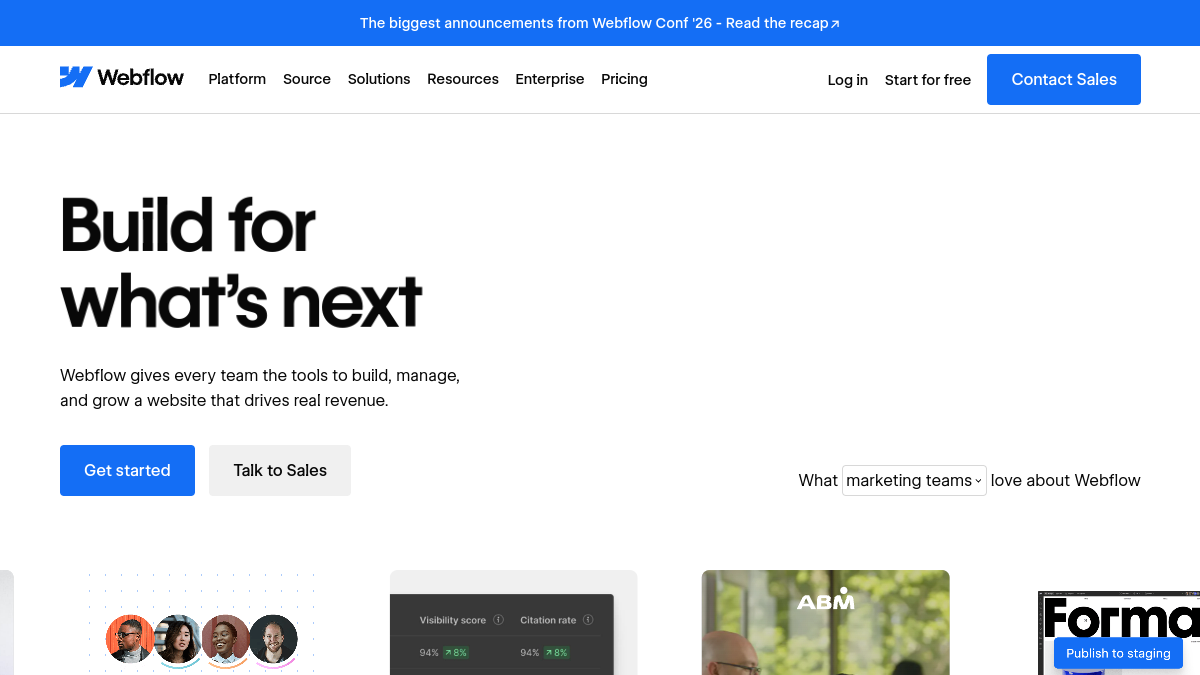
Webflow is a visual web platform: you design in the browser, it writes clean HTML, CSS, and JavaScript, and it hosts the site on a fast global CDN. Users report real control it provides without requiring traditional coding, which makes it easier to build polished, professional-looking websites. The brand prominently features blue (#146EF5) and black in its branding.

Users consistently praise Webflow for its design flexibility and intuitive interface, which allow both technical and non-technical users to create professional websites without extensive coding knowledge. The platform's visual canvas approach stands apart from traditional drag-and-drop builders by generating production-grade code rather than relying on pre-built templates.

7.3/10
RC Score

01 / 06The Platform's Core Strength: Design Freedom Without Code

Webflow is a visual web platform: you design in the browser, it writes clean HTML, CSS, and JavaScript, and it hosts the site on a fast global CDN. Users report real control it provides without requiring traditional coding, which makes it easier to build polished, professional-looking websites. The brand prominently features blue (#146EF5) and black in its branding.

Users consistently praise Webflow for its design flexibility and intuitive interface, which allow both technical and non-technical users to create professional websites without extensive coding knowledge. The platform's visual canvas approach stands apart from traditional drag-and-drop builders by generating production-grade code rather than relying on pre-built templates.

02 / 06Pricing Overhaul in May 2026: Simplification with Trade-offs

On May 13, 2026, Webflow announced its biggest pricing overhaul since December 2024. The old CMS plan ($23/mo) and Business plan ($39/mo) are being merged into a single new tier called the Premium Site plan, priced at $25/mo billed yearly or $39/mo billed monthly. Webflow's paid Site plans are $15/mo (Basic), $25/mo (Premium), and custom for Enterprise, all billed annually.

The Premium plan now includes 20,000 CMS items and 40 CMS Collections by default, removing the need for separate CMS item add-ons. While this consolidation reduces confusion, users report that pricing on Webflow is expensive, and domain names are not included. Users criticize hidden pricing costs like domain registration and transaction fees.

03 / 06The Learning Curve Reality: Steeper Than 'No-Code' Suggests

Despite Webflow's 'no-code' positioning, the platform's actual learning curve is steeper than promotional materials suggest. Verified user feedback indicates achieving working proficiency requires 2-3 months of consistent practice (1-3 hours daily). Webflow can feel a little clunky, especially when managing more complex builds or trying to find the exact setting you need. There is definitely a learning curve, even for users comfortable with web design tools.

The interface functions closer to professional design software like Photoshop or Figma rather than simple drag-and-drop builders. There's no true drag-and-drop for layout creation; you build using containers and understand parent-child relationships. The CMS setup requires planning your content structure upfront. This friction disappoints beginners but delights designers seeking pixel-perfect control.

04 / 06Recent Feature Changes and Platform Direction

Webflow sunset its native workflow automation (Logic) in 2025 and its native logins and memberships (User Accounts) in January 2026. Webflow's native subscription feature depended on User Accounts, and Webflow sunset User Accounts in January 2026. Existing subscriptions are still billed through Stripe, but there's no way to set up new recurring billing in Webflow anymore. By 2026, Webflow has stepped out of app-building entirely and drawn a clear line: it wants to be the place you build a marketing site, and nothing more.

AI credits were added to all Workspace plans starting May 13, 2026. They power Webflow's built-in AI features for generating and editing content, layouts, and code directly inside the Designer.

05 / 06Feature Depth: CMS, E-Commerce, and Animations

The most important Webflow features in 2026 are Webflow Localization (multi-language sites with auto hreflang), the visual CMS (Collections, dynamic templates, references), Logic (visual workflows), Interactions 2.0 (scroll and hover animations without code), native e-commerce, and built-in SEO controls. The CMS allows you to build your customized content collection, which is like a database. Your collection can include nearly any content imaginable, like blog posts, photos, videos, e-commerce goods, and more.

Reviewers largely see Webflow as a powerful no-code website builder that offers strong design control, responsive layouts, CMS tools, clean code output, and fast publishing. Many say it helps teams and non-coders ship polished landing pages, blogs, and marketing sites quickly, while still scaling to complex projects.


06 / 06Support and Trust Challenges

On Trustpilot, Webflow currently has a 1.4/5 TrustScore based on 233 reviews; this is much lower than its ratings on G2 and Capterra. Here, users raised concerns about customer support, pricing, and account or website issues. This stark disparity between review platforms suggests quality service experiences are inconsistent. Some note a steep learning curve for beginners, although support quality varies.

Webflow is the tool designers reach for when they want pixel-level control and clean code, and it earns that reputation. It's also the tool that frustrates beginners and runs up a surprising bill once you scale.

How we researched this

The research basis

What this review is built on. Our research is AI-assisted and draws on vendor documentation and published user feedback rather than our own lab testing — see the methodology page for the limits of that.

Duration
research-based
continuous monitoring
Test count
distinct tests
Testers
contributors
Sponsored?
No
Editorial integrity
What we observed

The honest summary

After every long-form review, we publish the two-sided summary. What proved durable, and what failed during testing.

What held up

4 items
  • +Visual design control and pixel-perfect customization without coding expertise
  • +Clean, production-ready HTML/CSS/JavaScript output valued by professionals
  • +Flexible CMS with Collections and dynamic templates for content-rich sites
  • +Fast hosting on AWS with built-in security and global CDN

What broke

4 items
  • Steep learning curve contradicts the 'no-code' marketing; proficiency requires months of practice
  • Pricing structure obscured by hidden costs (domains, add-ons); expensive compared to competitors
  • Abrupt discontinuation of User Accounts and Logic features limits app-building use cases
  • Severely damaged trust score on Trustpilot (1.4/5) due to support and account issues
Common questions

What people ask about Webflow

Straight answers to what buyers actually ask, drawn from the documentation and published user reports.

Is Webflow truly no-code for beginners?
Not in the traditional sense. While you don't write code, the platform requires understanding of design and layout concepts. Users report needing 2–3 months of consistent practice to achieve proficiency, and the interface is closer to professional design software than simple builders.
What happened to User Accounts and Memberships?
Webflow sunset User Accounts in January 2026. Existing subscriptions are still billed through Stripe, but there's no way to set up new recurring billing in Webflow anymore. This significantly limits membership and subscription site functionality.
Which Webflow plan should I choose?
Choose Starter (free) to explore. For live sites with custom domains, choose Basic ($15/mo annually) for static content or Premium ($25/mo annually) for CMS-driven content. Workspace plans ($19–$49/seat) are additional for team collaboration. Factor in domain, bandwidth add-ons, and AI credits when budgeting.
Is Webflow suitable for e-commerce?
Webflow offers native e-commerce with product management and checkout, but lacks advanced subscription and customer login features following the January 2026 discontinuation of User Accounts. It's best for straightforward online stores; complex membership-based e-commerce is now better served by dedicated platforms.
Why is Webflow's Trustpilot score so low?
Webflow has a 1.4/5 Trustpilot score based on 233 reviews; users raised concerns about customer support, pricing, and account or website issues. However, ratings on G2 and Capterra are substantially higher, suggesting inconsistent support experiences or that dissatisfied users gravitate toward Trustpilot.
A
Written by

Admin

Webflow 2026: Design Control at the Cost of Complexity and Price · ReviewCost