Independent reviewsno sponsored placements
Review4 min readSeptember 13, 2026

FlexClip Review 2026: Fast Template-First Editor for Social Video, Not Heavy Lifting

Accessible and fast for beginner creators, but limited for professional editing needs.

Admin
Research basisresearch-based
FlexClip Review 2026: Fast Template-First Editor for Social Video, Not Heavy Lifting
Product reviewed
FlexClip
FlexClip excels at making video creation approachable for non-professionals who need polished social content quickly.

The quick verdict

Scroll for the full review ↓

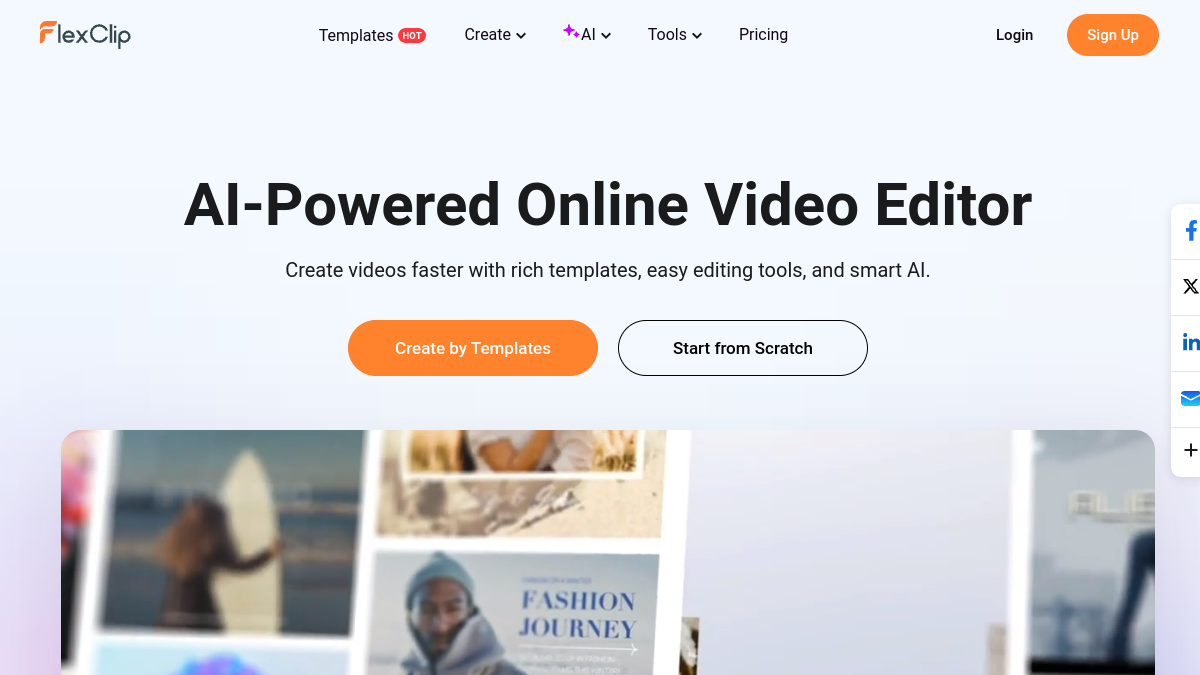
FlexClip has established itself as one of the most approachable online video editors for beginners and small business owners. The platform uses 6,000+ templates, 4M+ stock media assets, and AI tools including text-to-video generation, auto subtitles, and AI script writing. The interface deserves particular credit: users frequently highlight FlexClip's straightforward interface and fast learning curve, with many noting it feels seamless right away, even for first-timers.

The pricing structure offers real value at entry level. Pricing starts free (720p, watermarked) with the Plus plan at $11.99/month (billed annually), which removes the watermark, unlocks 1080p Full HD exports with no length restrictions, provides 5 stock assets per project, 30GB cloud storage, 100GB export storage, and 3,600 AI credits per year (300/month). The Business plan at $19.99/month (billed annually) adds unlimited stock media per project, 100GB cloud storage, 1TB export storage, and 9,600 AI credits annually (600/month).

For creators focused on social media and marketing content, the template library alone justifies the platform's popularity. The template library and 4M+ stock assets genuinely save time, and the AI tools (auto-subtitles, text-to-speech, AI video generation) add real value at the price point.


7.8/10
RC Score

01 / 05What FlexClip Does Well

FlexClip has established itself as one of the most approachable online video editors for beginners and small business owners. The platform uses 6,000+ templates, 4M+ stock media assets, and AI tools including text-to-video generation, auto subtitles, and AI script writing. The interface deserves particular credit: users frequently highlight FlexClip's straightforward interface and fast learning curve, with many noting it feels seamless right away, even for first-timers.

The pricing structure offers real value at entry level. Pricing starts free (720p, watermarked) with the Plus plan at $11.99/month (billed annually), which removes the watermark, unlocks 1080p Full HD exports with no length restrictions, provides 5 stock assets per project, 30GB cloud storage, 100GB export storage, and 3,600 AI credits per year (300/month). The Business plan at $19.99/month (billed annually) adds unlimited stock media per project, 100GB cloud storage, 1TB export storage, and 9,600 AI credits annually (600/month).

For creators focused on social media and marketing content, the template library alone justifies the platform's popularity. The template library and 4M+ stock assets genuinely save time, and the AI tools (auto-subtitles, text-to-speech, AI video generation) add real value at the price point.
02 / 05Where the Limitations Bite

FlexClip's single-track timeline architecture fundamentally constrains what it can do. The single video track timeline is a fundamental constraint that prevents multi-layer editing, advanced compositing, and professional-grade workflows. For creators accustomed to desktop software like Premiere Pro or DaVinci Resolve, this will feel immediately restrictive.

Performance also lags. Exporting high-res videos may take time, and mobile performance can lag slightly. Export speeds lag behind desktop software, and heavy projects can choke in the browser. If you're producing long-form or high-resolution content, the browser-based architecture becomes a bottleneck.

The AI credit system, whilst generous in allocation, requires careful budgeting. All AI features consume credits from your plan's annual allocation, and heavy use—especially AI video generation—can exhaust credits within a few months on the Plus plan.

03 / 05AI Integration: Useful but Uneven

FlexClip's 2026 AI suite has expanded significantly. FlexClip's 2026 AI suite includes auto-subtitle generation, text-to-speech (400+ voices in 140+ languages), AI video generation via Hailuo AI, Kling AI, and Google Veo 3, AI image generation, image-to-image transformation, background removal, noise removal, and the Product URL to Video tool. The auto-subtitles are accurate for clear English audio and save significant manual captioning time, and the AI video generation produces surprisingly usable clips from text prompts.

However, user reviews flag inconsistency. AI-generated video quality varies—it's good for B-roll and social clips, not for hero content. This positions FlexClip as a supplement to manual editing, not a replacement.

04 / 05Who Should Use FlexClip

FlexClip is best suited for beginners, small businesses, and social media marketers who need polished videos quickly without learning complex editing software, though its single video track and slow export speeds limit its usefulness for advanced editors. If you're producing YouTube shorts, Instagram reels, LinkedIn marketing content, or educational videos—and you want to avoid expensive software and steep learning curves—FlexClip delivers.

Skip it if you're editing multicam footage, building complex layered compositions, or producing content that demands frame-perfect technical control. If your editing involves multicam, complex transitions, or long-form content, look at Descript or a desktop editor instead.

05 / 05Value and Verdict

FlexClip occupies a genuine middle ground in the video-editing market. It's too simple for professionals but packed enough for ambitious creators wanting speed over granular control. FlexClip ranks #11 of 18 in AI Video Generators, holds a 3.8/5 editor rating, and starts at $11.99/month (12% below the $14/mo category average). At that price, with unlimited templates and stock media once you're on a paid plan, the value is evident for the target audience.

Users report consistent satisfaction with the core product. It's a great choice for creating clean, polished videos quickly, especially if you want a tool that's easy to learn, and even with a few limitations, the simplicity, speed, and convenience make it a strong option for everyday video projects. The caveats are real—export speed, single-track limitation—but for the use cases FlexClip targets, they're acceptable trade-offs.

How we researched this

The research basis

What this review is built on. Our research is AI-assisted and draws on vendor documentation and published user feedback rather than our own lab testing — see the methodology page for the limits of that.

Duration
research-based
continuous monitoring
Test count
distinct tests
Testers
contributors
Sponsored?
No
Editorial integrity
What we observed

The honest summary

After every long-form review, we publish the two-sided summary. What proved durable, and what failed during testing.

What held up

4 items
  • +Intuitive drag-and-drop interface genuinely lowers the barrier to entry for beginners
  • +Massive template and stock library delivers measurable time savings
  • +Affordable annual pricing at $11.99–$19.99/month competes well against desktop alternatives
  • +AI auto-subtitles and text-to-speech perform reliably for standard use cases

What broke

4 items
  • Single-track timeline fundamentally limits advanced editing workflows
  • Export performance lags noticeably compared to desktop software
  • AI video generation quality is inconsistent; output varies from usable to mediocre
  • AI credits can deplete quickly with heavy feature usage, forcing plan upgrades
Common questions

What people ask about FlexClip

Straight answers to what buyers actually ask, drawn from the documentation and published user reports.

Does FlexClip offer a lifetime deal?
Yes — through AppSumo rather than FlexClip itself. The lifetime deal starts at $99 for Plan 1, with higher plans at $198 and $297 (checked 13 September 2026). FlexClip's own site sells monthly and annual subscriptions.
Can I export 4K video on FlexClip?
Yes, but only on the Business plan ($19.99/month annual billing). The Free and Plus plans max out at 1080p and 720p respectively.
What's the main limitation for advanced editors?
The single video track architecture prevents multi-layer editing, complex compositing, and professional-grade workflows. Advanced editors should consider desktop software like Premiere Pro or DaVinci Resolve.
How many AI credits do I get, and how quickly do they run out?
Plus plan: 3,600 credits/year (300/month). Business plan: 9,600 credits/year (600/month). Heavy use of AI video generation can exhaust the Plus allocation within months; text-to-speech and auto-subtitles are more credit-efficient.
A
Written by

Admin

FlexClip Review 2026: Fast Template-First Editor for Social Video, Not Heavy Lifting · ReviewCost