Dropbox Review 2026: Premium Sync Meets Productivity Overhaul
Mature platform with expanded AI tools, but pricing frustration grows as competitors bundle more aggressively.

Mature platform with expanded AI tools, but pricing frustration grows as competitors bundle more aggressively.

Dropbox has evolved beyond its 2008 origin as the "files everywhere" sync tool. In 2026, the platform bundles e-signatures (Dropbox Sign), AI-driven search (Dash), media review (Replay), and automations into a productivity suite. With over 700 million registered users, Dropbox maintains unmatched cross-platform consistency and device syncing, earning consistent praise from both individual and enterprise users for reliability and ease of use. However, this expansion hasn't solved Dropbox's core business challenge: articulating why customers should pay premium prices when Google Drive integrates into Gmail, OneDrive bundles with Microsoft 365, and free alternatives proliferate.
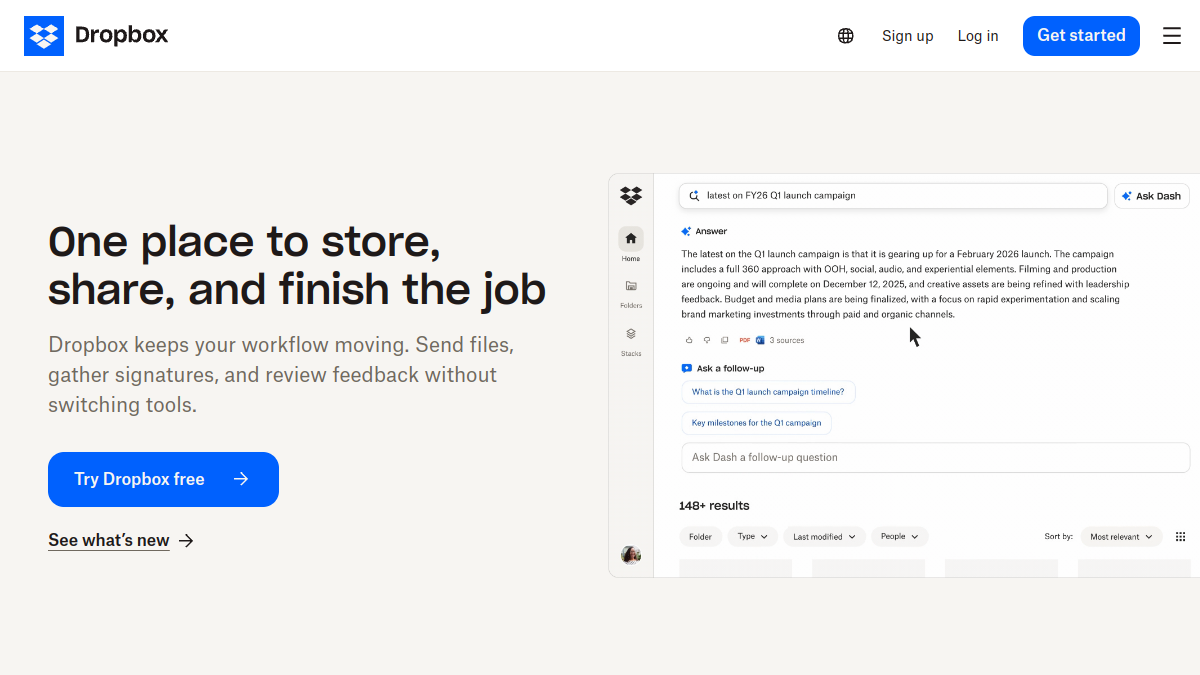
Dropbox's technical foundation remains its strength. Block-level sync (updating only changed file sections) makes it ideal for designers and video editors working with large assets. Real-time synchronisation across Windows, Mac, Linux, iOS, and Android is seamless. The Smart Sync feature—keeping files metadata-only on local drives until accessed—solves the old problem of large project archives clogging 256 GB SSDs. Dropbox Dash, rolling out across 2026, surfaces unified search results across Dropbox, Google Workspace, Slack, Notion, and Trello, reducing app-switching fatigue. Dropbox Sign integrates document e-signatures natively. Yet for teams expecting Google Docs-level real-time document collaboration, Dropbox falls short; the platform excels at file sync and async workflows, not live editing. Reviewers note the distinction matters: creative agencies and legal teams (who need fast versioning and controlled sharing) rate Dropbox highly; knowledge workers comparing it to Docs integration find gaps.

This is where perception diverges sharply from reality. Dropbox does not offer true zero-knowledge encryption by default. On Basic, Plus, and Professional plans, Dropbox retains encryption keys, meaning the company retains technical ability to access files. End-to-end encryption (E2EE) is restricted to business (Standard and Advanced) plans and team folders only. Users and reviewers flagging this gap are right to do so: for privacy-conscious individuals and regulated industries (healthcare, law), this is a critical limitation. Dropbox has experienced data breaches, though the company has transparently addressed them. For most small businesses and freelancers, the risk calculus favours Dropbox's usability and ecosystem depth; for those prioritising privacy above all, alternatives like Sync.com (E2EE native) or pCloud (lifetime zero-knowledge options) are stronger picks.
Dropbox's interface consistently earns 9/10 ratings for ease of use. The onboarding is frictionless. File management, sharing, and version recovery are straightforward. The desktop app (system tray, quick access, background sync) feels native on Windows, Mac, and Linux. Mobile apps mirror web and desktop features seamlessly. The clean aesthetic—warm cream (Coconut #f7f5f2) and accent blue (#0061FE)—reflects thoughtful design. Power users appreciate granular preferences (selective sync, upload/download speed caps, auto-start toggles). Novices appreciate simplicity. Importantly, Dropbox avoids aggressive upsell friction; paid plan prompts remain subtle. The learning curve is minimal, making it ideal for teams with low IT overhead.
Dropbox's 2026 position is paradoxical. Technical execution is world-class: sync reliability, AI search integration, and feature breadth lead the market. Yet the platform faces commodity economics. In 2024, users called Dropbox expensive. In 2025, bundled competitors (Microsoft 365 + OneDrive, Google One + Drive) shifted the equation. By 2026, the narrative has solidified: Dropbox is best-in-class for its specific use cases (large file workflows, design teams, async media review), but no longer a default choice for general teams. Annual discounts (15–20% off monthly pricing) and business volume negotiations (15–25% discounts at 100+ seats) improve value, but require active procurement. For freelancers managing 2 TB of client work, Plus at $9.99/month (annual billing) remains sensible. For enterprises evaluating workspace suites, Dropbox's lack of transparent enterprise pricing (custom quotes required) extends sales cycles and complicates budget planning—a structural disadvantage against Microsoft and Google.
What this review is built on. Our research is AI-assisted and draws on vendor documentation and published user feedback rather than our own lab testing — see the methodology page for the limits of that.
After every long-form review, we publish the two-sided summary. What proved durable, and what failed during testing.